Every day I want to play a Weather Forecast.
The playlist in mAirlist should play that every hour.
In the Hour Template - what is the smartest to do?
The file name is different every day.
Best regards
Junker
If it’s following the rules of a specific scheme for month, day, hour etc. you could use the variable filename option.
mAirList use the actually date & time of the current hour to look for the actually files.
I made a short tutorial here:
It’s all explained by Torben in the Thread I linked to:
But here’s my english Step-by-Step tutorial for you (and all in need):
Open your hour template and choose “External Items”
[Bildschirmfoto 2022-08-20 um 14.12.58]
Drag & Drop one example item from your windows explorer (!) into the Listing window:
[Bildschirmfoto 2022-08-20 um 14.13.28]
Double-click the item to open the preferences, go to the tab “Audio File”
[Bildschirmfoto 2022-08-20 um 14.20.53]
Change parts of the filenam…
Another way: Just rename the file with an automated windows scheduler task to the filename that mAirList expects in the folder.
Thank you so muh Stefan
However in this case I would like mAirlist to simple look in a specific physical storage directory and play whats in the directory no matter what the file(s) are called. is that possible?
Thanks
Best regards
Junker
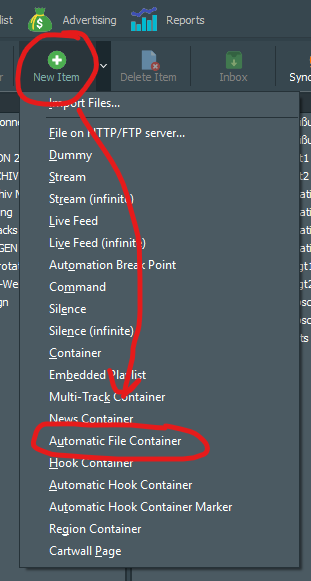
Setting up a new dB Element called „Automatic File Container“ and then use it as a „Specific Element“ in the hour template may be the simple solution for your needs
How do I set uo a “Automatic File Container”?
Is it a Specific Item ? Or where do I go?
Best regards
Junker
You set up the Automatic File Container in the library first, then you use it as the Specific Item in your Hour Template.
Thank you. Where in the library ?
I have been looking for some documentation how to set up a container. And I have tried plenty things. I cant create a container
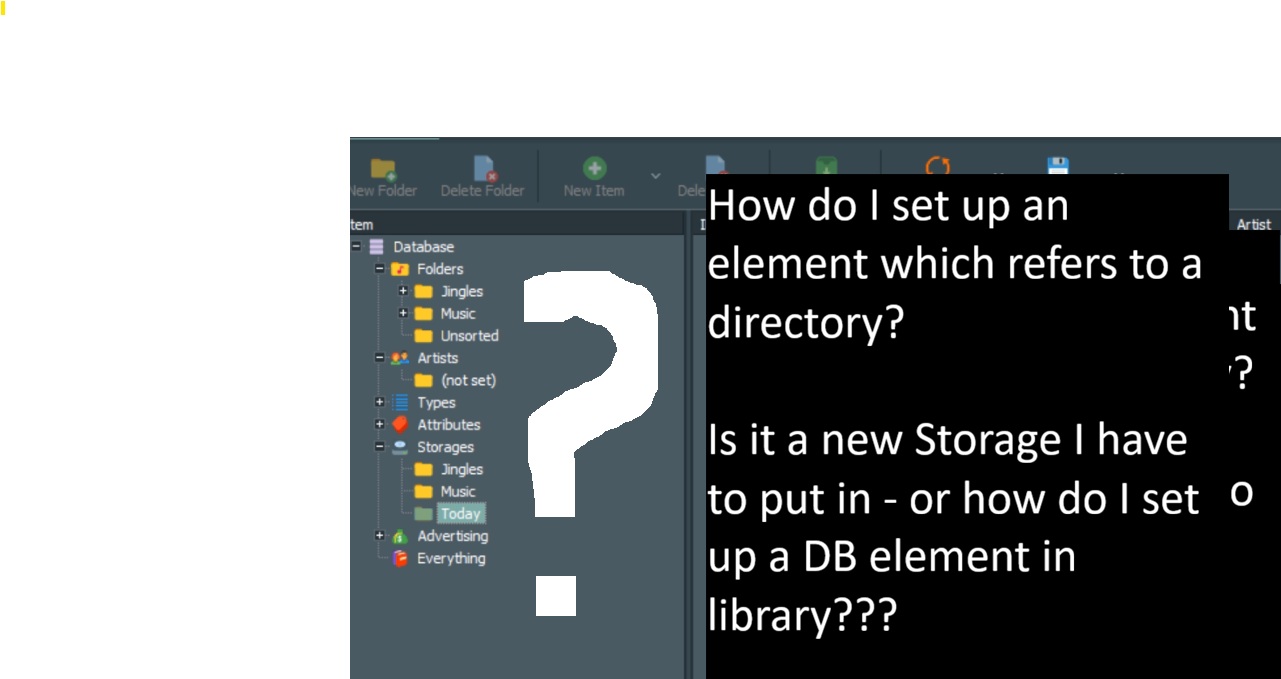
Maybe its simple for an experienced, but I simply don’t know how I exactly set up a new DB element?
Is it just a new Storage I have to put in - or how
do I set up a DB element???
Sorry, its not simple for me
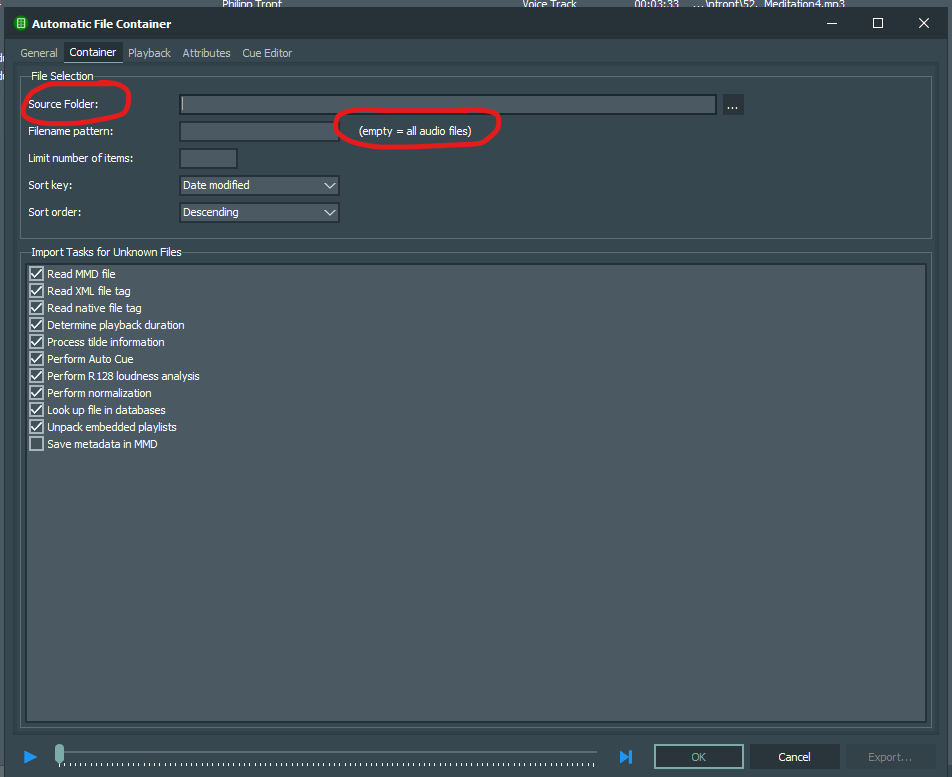
Did you follow the image I posted? Then you would’ve seen the dialogue and found the place where you can set up the path.
Leave the filename pattern empty (!) to have ALL files in the folder to be found automatically by the Container.
Then, after you saved the Automatic File Container,
go to the hour template
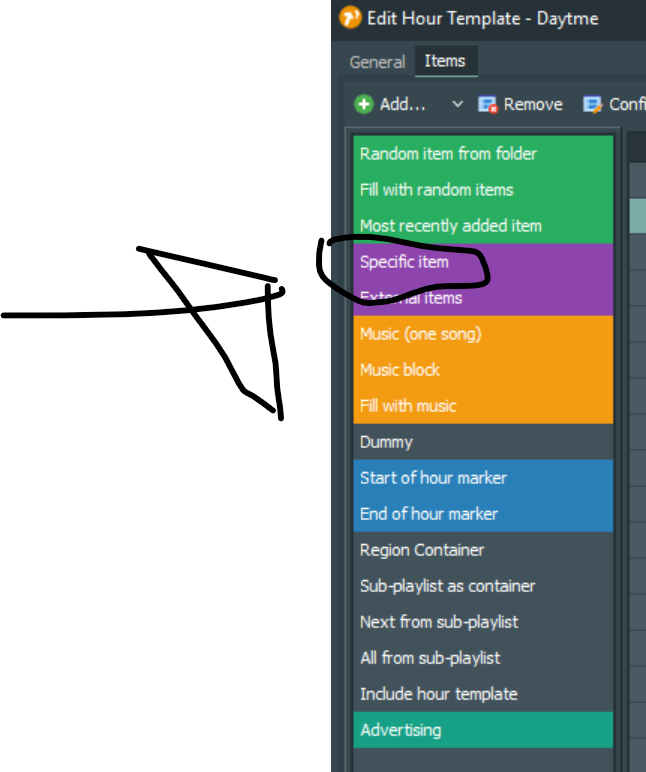
insert the “Specific Item” like in your screenshot and choose the AFC-Element you just created
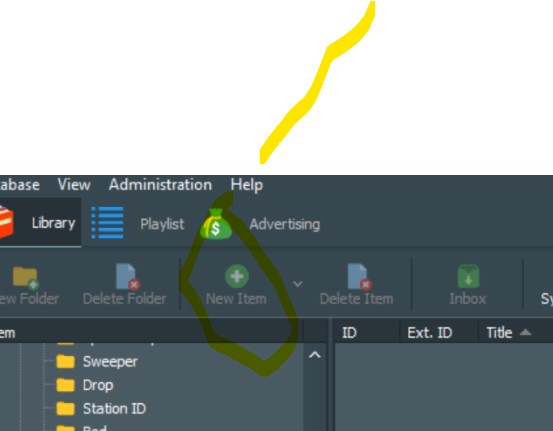
The problem is, that New Item is disabled…
Wherever I am in the Library, the “New item” is disabled
…“tell” the library in which virtual folder you want to create the new element. Choose one of the yellow folders and it will be enabled.
It works now. Brilliant. Thanks a lot for your help… Best regards Junker
 I will for sure look the tutorial. Also because I want time annoncement.