I apologize in advance as I fear this is going to be a long explanation. This is because of various tests that I have performed myself regarding these errors.
Torben previously solved a bug in remote voicetracking with the DBserver connection.
Now some problems appear to return, but on other userroles.
At the time, we did tests using the administrator role, but now that I want to let users voicetrack with the userrole VTDJ, there are again problems:
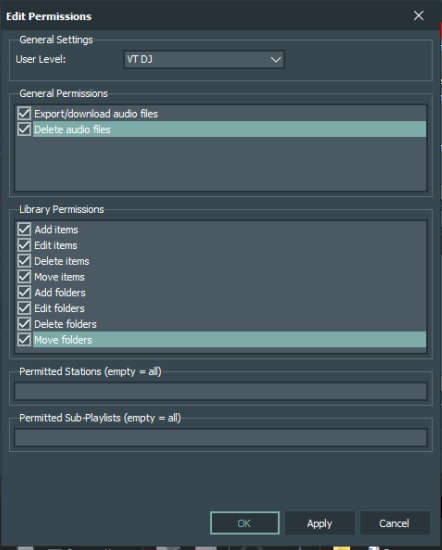
The Userrole is set as VTDJ with all permissions on:
As soon as a file has to be exported from the local PC to the studio by the DBServer connection, the error that you must have folder manager role appears: (This while the voicetrack is properly stored on the local PC as well as send to the server in the studio and stored in the default voicetrack folder!!)
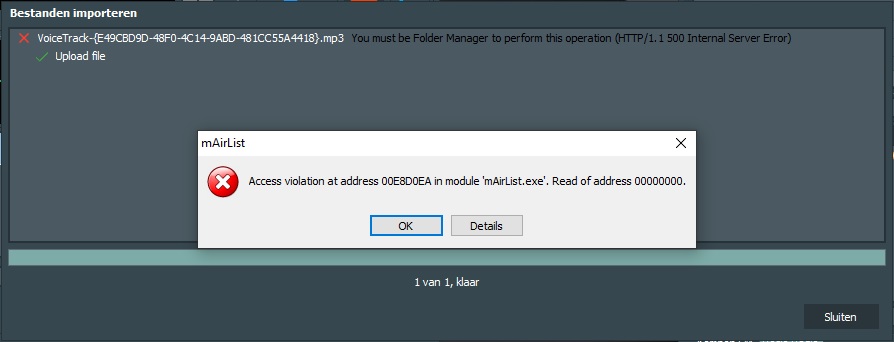
After this, next error will appear as soon as the voice track is trying to be saved. As you can see in the folder under the pop up, the voice track is still stored at this location:
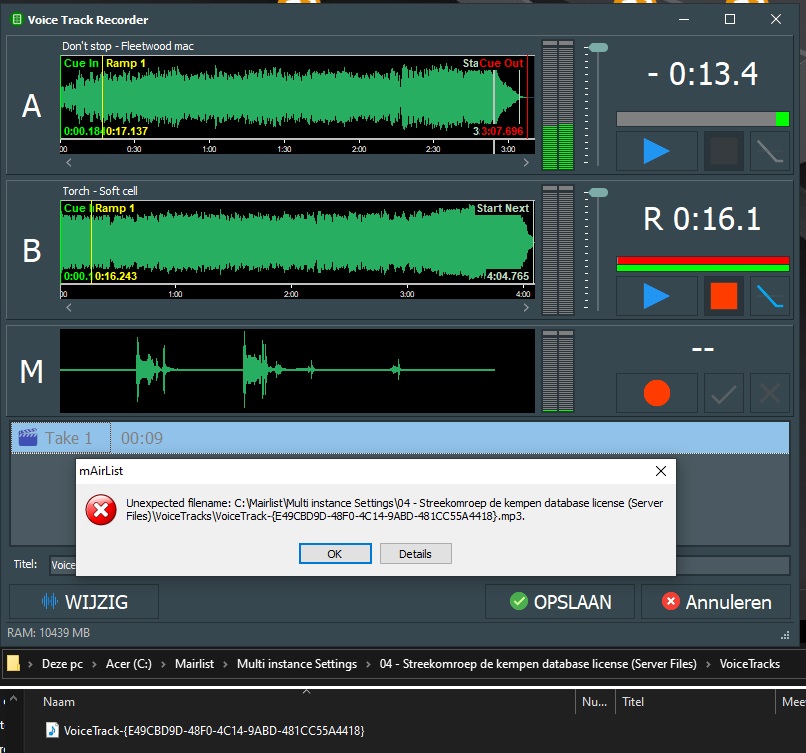
You are only able to cancel the voicetrack but it is shown in the playlist! (I noticed the green dots around the voicetracks. I know these should be orange as we had in an issue before?)

When opening the playlist and voicetrack in the studio, The FIlename/url has the path wich was used on the local machine. This issue is the same as we had before. The filename/URL isn’t updated to the default voicetrack folder in the studio.
The file isn’t found by the mAirlist software even it is correctly imported to the default voicetrack folder.
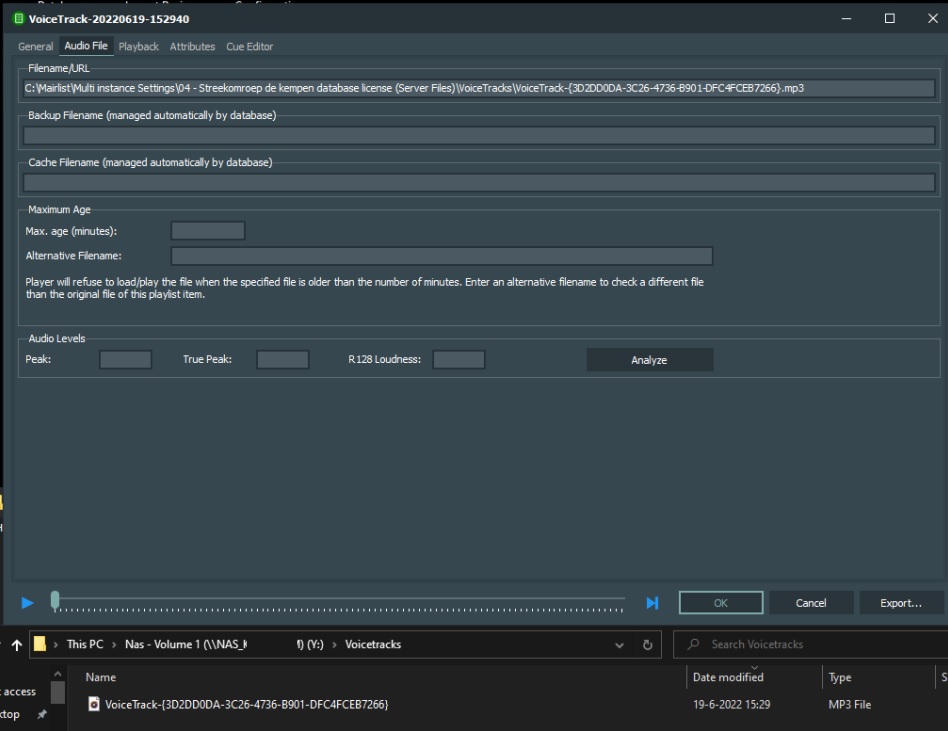
Seem like same issues as we have seen before and so I hope it can be solved easily.
There was also a small bug in voicetracking using the VTDJ role when not using the DBserver connection, but straight in the studio.
There were also some errors when pop ups showed up about importing (Even while it isn’t necesairy to import because the voicetrack was done in the studio!)
I won’t go too deep in that for now, otherwise this post will be way to olong! But I hope the issue is related to the user roles and they will be solved as soon as my first list of errors are solved.
Hope you can have a look at it soon and If you need any more information or a remote login, you know where to find me. 