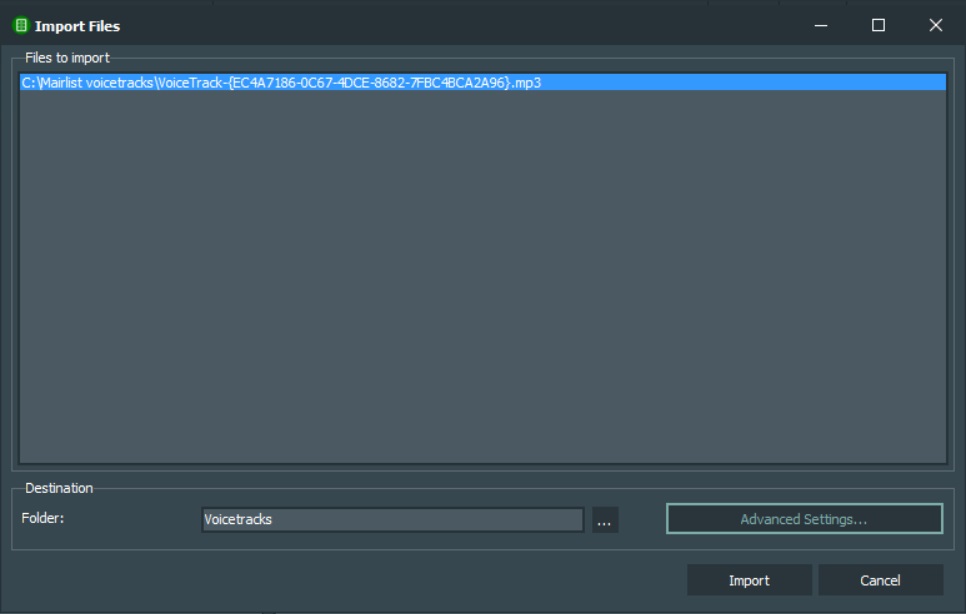
I was testing recording voicetracks on my remote pc using DBserver.
Recording the voicetrack is recording and works all fine, but when trying to import to my studio I get an error.
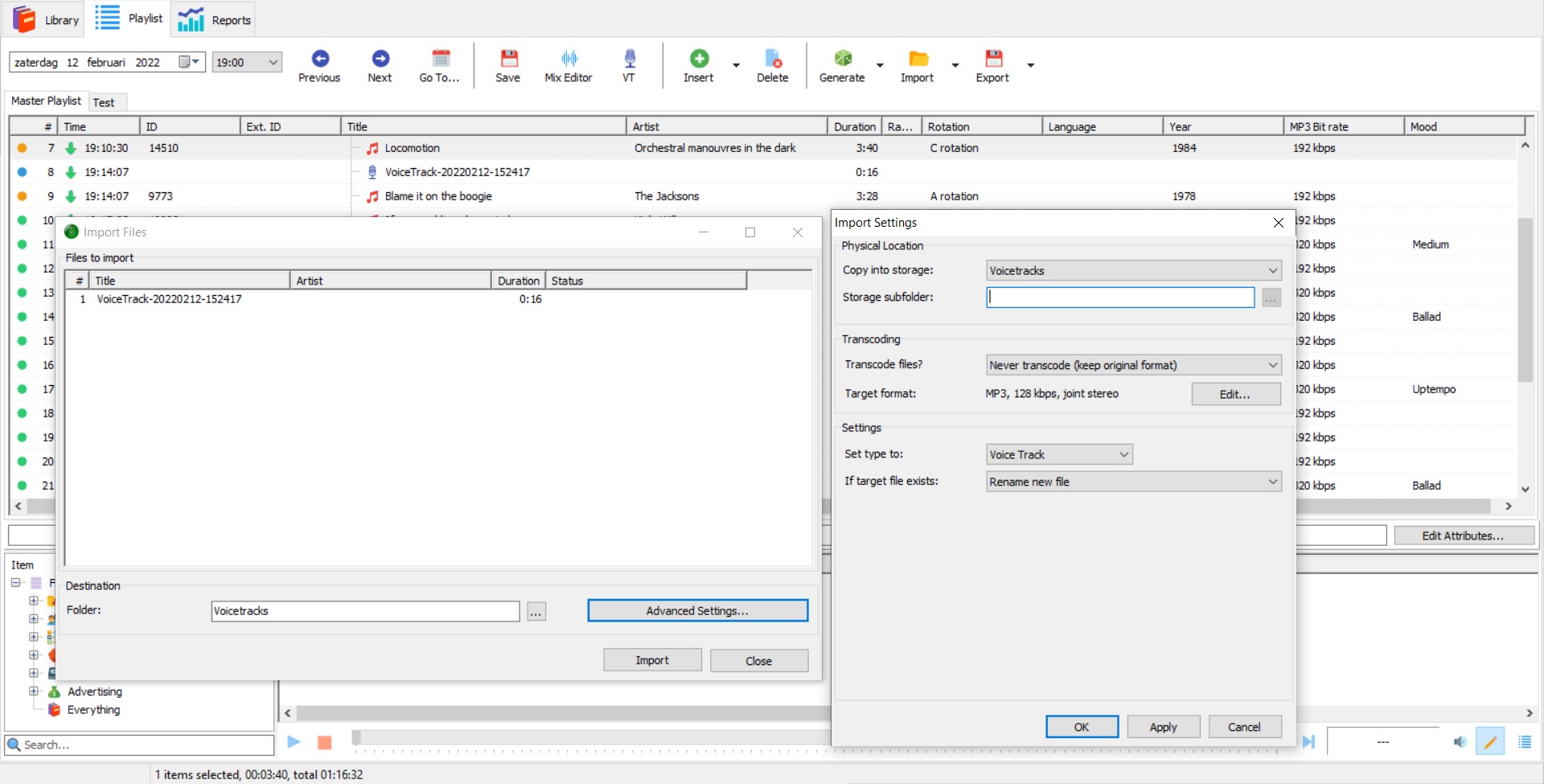
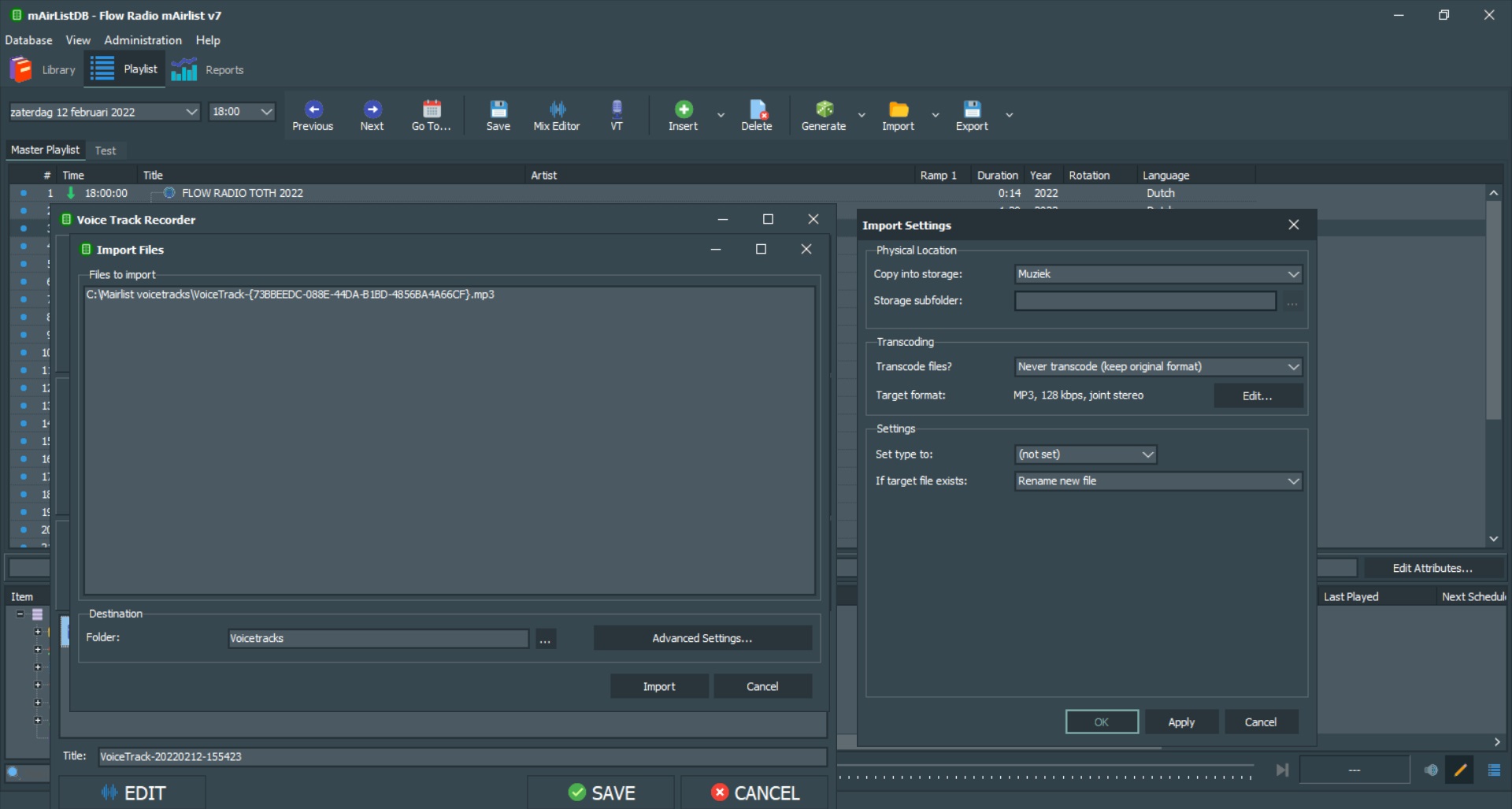
This function is working in v6.3 on the same pc’s and I compared all settings in the configuration apps of 6.3 and 7. Both on my remote pc wich is connected by DBserver, as well the pc in my studio where mairlist is running all settings are equal, but when looking at advanced settings when trying to import the voicetrack these differences show up:
Somehow in V7 the settings are different everytime I try to import a voicetrack, while in version 6.3 these settings are standard. How can I change that in v7 the same settings as in v6.3 stay standard?
When pressing import in v6.3 the voicetrack is send to the studio and imported in the playlist.
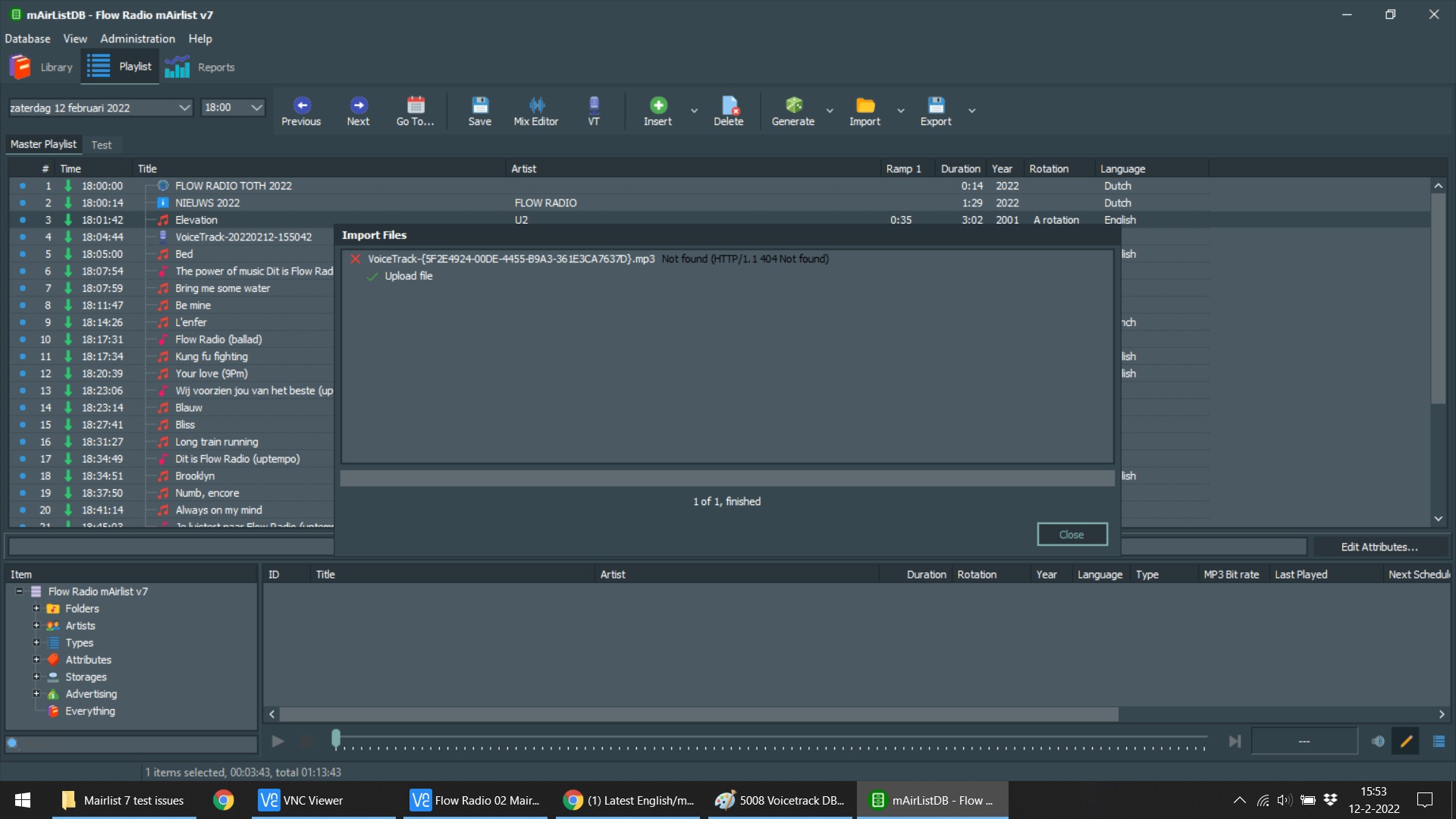
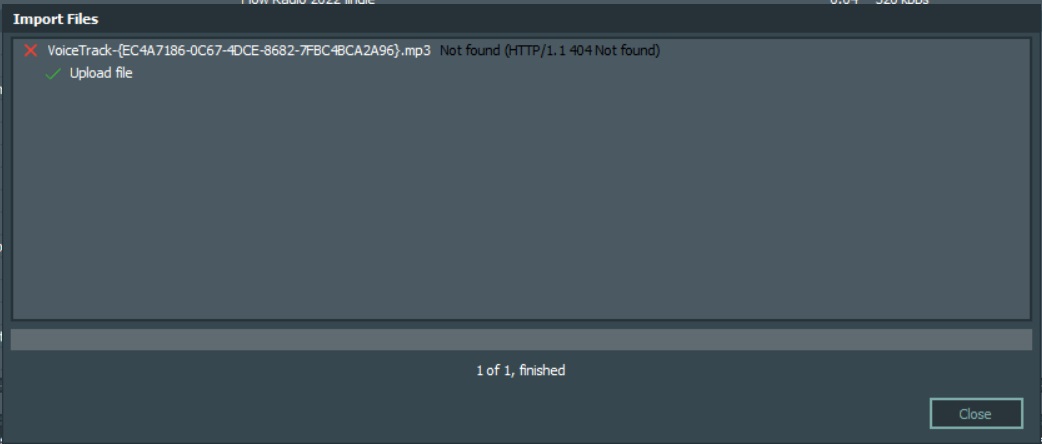
After manually set the advanced settings equal to v6.3 and pressing import in version 7 (Snapshot 5008) this error occurs, as well the progressbar keeps blinking;
Is there some settings I missed somwhere? I opened the configuation apps of 6.3 and 7 side by side on both pc’s and really compared every possible setting. They are all equal.
hope someone is able to test or tell me where I can find a solution
Earlier I mentioned the import problem when remote voicetracking using a internet connection by DBserver.
Last week I checked the settings of my working version 6.3 and compared it with the version 7 beta 5013.
Still, somehow the HTTP error appears as soon as a voice track is imported.
Hopefully someone can help me with this. Is it a ‘bug’ or is it because I have wrong settings somewhere in the new version of mAirlist that I missed?
I have compared the entire configuration app, DB server app and the settings in the database app of both versions 6.3 and 7 (beta 5013). No differences are visible.
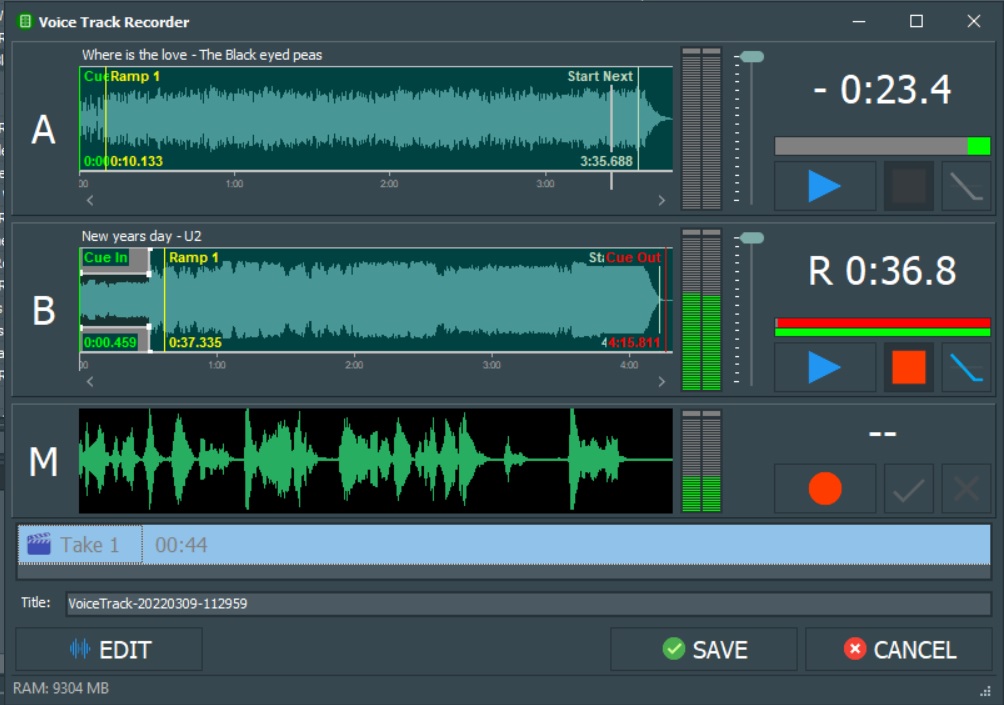
At the moment it is possible to voice track remotely. The voicetrack is saved on the local home pc (location folder on the local pc is C:\Mairlist voicetracks). But when you press import, the http error appears. The progress bar also continues to flash.
After saving the playlist, the voice track is saved. If you then look in the database app that runs in the studio (where the voicetrack should be sent), the playlist contains the voicetrack. The only problem is that the file is not sent from my home PC to my studio. The file does not appear in the studio save folder (Y:\Voicetracks )
If you do the same on the same PC’s using version 6.3, the import will work. This makes it clear that it is not the firewall settings that are causing the block.
Is anyone else getting this error message, or does anyone know what the problem is so I can make sure that voicetracks can be recorded remotely?
For further explenation I hereby post some screenshots of the situation in version 7 (beta 5013):
The file is uploading and send correctly to the studio now!
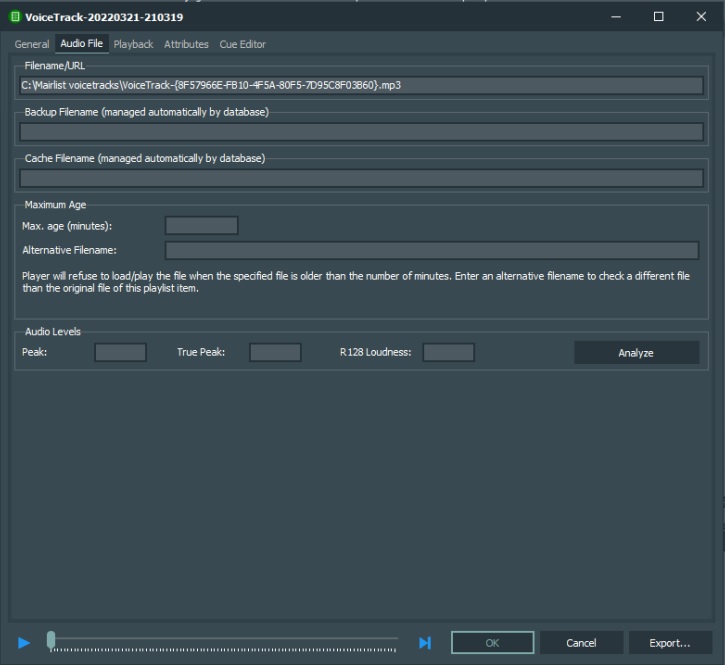
only issue wich occurs now is within the filename/url:
On the remote pc the voicetracks are saved into ‘C:\Mairlist voicetracks’ since it only has one harddisc.
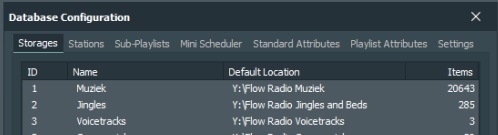
When importing, the files are send correctly to the studio and saved into the standard voicetrack folder ‘Y:\Flow Radio Voicetracks’.
(The Y:/ drive is made on a server so all computers in the studio can acces the files.)
If you save the playlist on the remote computer after voicetracking, the url of the local file is stored into the item. So when opening the voicetrack in the studio, the file isn’t found. The Filename/url isn’t in the standard voicetrack folder, but it is looking inside the ‘C:\Mairlist voicetracks’.
Is this a specific setting, or should the saved folder actually be the standard voicetrack folder?
When recording a voicetrack in the studio, the file is saved in the ‘Y:\Flow Radio Voicetracks’ folder and the Filename/Url of the item is also the standard directory.
Next image are the item properties of the voicetrack after uploading to the studio (when opening in the studio):
And here are the standard storage folder in the studio:
Besides this, maybe I have a request, but first I’d like to ask if it would be possible, otherwise it would be pointless to post the request:
Does it fit into the structure of the program to realize that voicetracks older than a certain time are automatically deleted from the database and from the hard drive?
To keep the hard disk and database clean, it would be a nice option to automatically delete voicetracks older than 1 month (for example). Of course it would be great to be able to set this yourself by means of a variable, if people think 1 month is too short or too long.
This question is off topic, but wanted to ask it. If this is a good idea I will post it again in the request section after closing this topic.
Maybe the latest post slipped Torbens and Uli’s attention. Today I saw a post on a dutch mAirlist Facebook page of someone who has the same issue. That is why I post this as reminder.
When importing a voicetrack from a remote PC using the DBserver connection, the voicetrack is send to the studio/ server and stored in the standard voicetrack folder.
But when saving the playlist after recording on the remote PC, the Filename/Url of the local file on the remote PC is stored as a ‘hard value’. When opening the voicetrack in the studio it won’t be found because not the standard storage folder is used in the filename/url.
The voicetracks aren’t played due they can’t be found.
In my post above I placed a few screenshots to show the issue.