Version 8.0.10b6047
I’ve encountered a strange but annoying bug in the Browser Object in the main mairlist screen and in the actual configuration module.
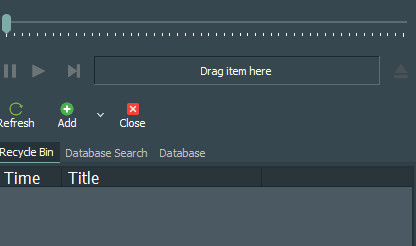
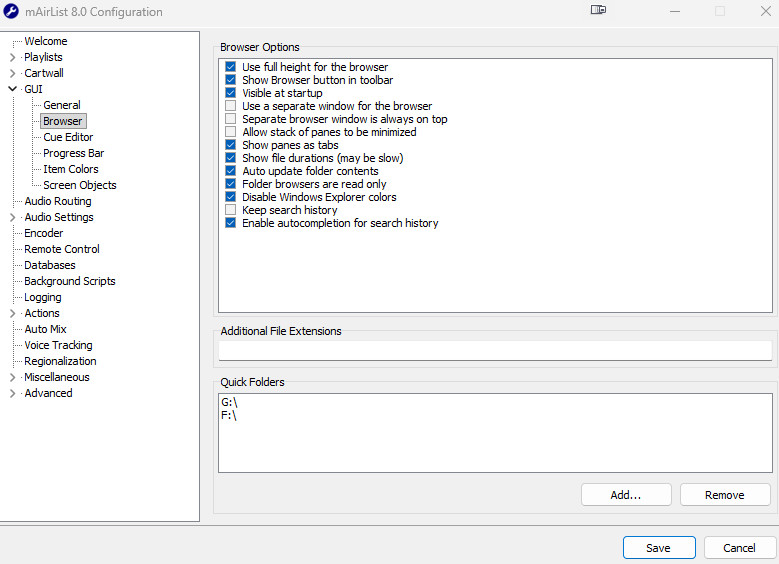
First, when adding quick folders in the Config/GUI/Browser/Quick Folders section, you can’t seem to only add a DIR like G:\ or else it shows up incorrectly in the main mairlist browser object as BLANK or EMPTY. It seems to need an exact folder, which is silly. It should populate the folders in the dir.
Second, when I try to delete the quick folders, they keep coming back even after deleting them and saving, and exiting the CONFIG module. If I go back into the config, the folders or in my case the drive letter, (because I have specific drives set up for music so only music folders are directly in the specific drive) have reappeared.
When I delete and re-add them, when I go back to the mairlist window browser object, either the drive appears empty or blank, and it reverts to one of the OLD folders/drives I already deleted and it should not even be there!
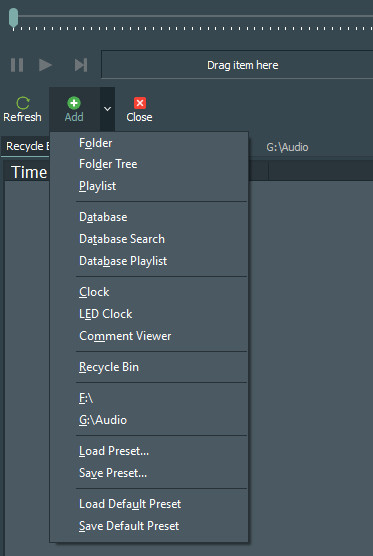
Or it defaults to the whole computer folders available. Or it adds a folder that doesnt even exsist! In my case something called G:\Music. - I have no such folder! I only have G:\Audio and F:\
Please see screenshots.
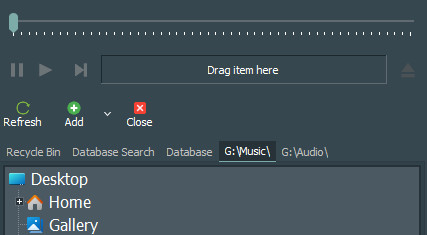
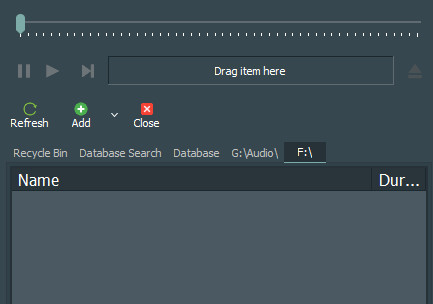
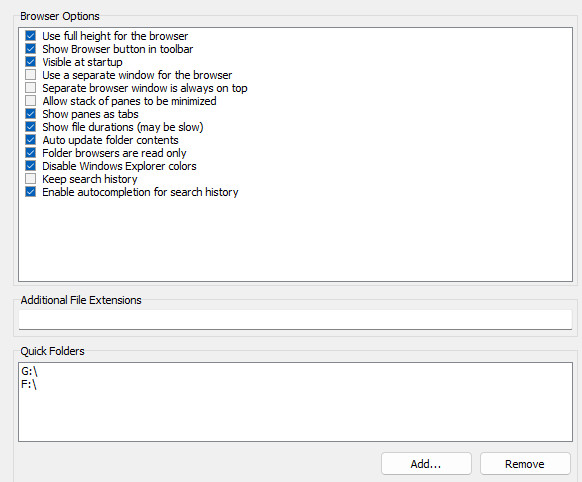
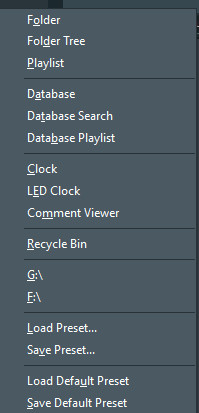
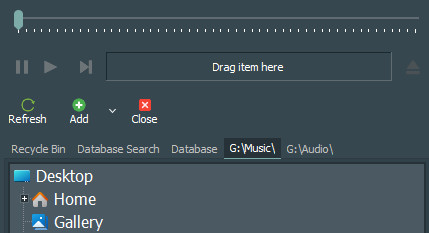
There is something goofy going on with this process, and this is on a fresh instal of the current version of mairlist 8.
Please can we get this fixed?
5 images attached.