Just decided: I am gonna purchase the V6 license and run V6 as soon as possible. Make use and benefit of the new features.
Here’s the challenge: I want to upgrade starting from mAirList Professional Studio V5.1.5 build 2807 (running with PostgreSQL database and songs on Synology NAS) to mAirList V6 and this V6 will be running on new hardware (PC) Done with as little as possible downtime and without losing any settings.
I did the transfer to new hardware succesfull in the past, but only within the same version of mAirList. Which order do you recommend: first upgrade V5 to V6 on the current hardware (PC) and afterwards transfer to new hardware or transfer and upgrade on the new hardware right away?
If desired, copy over the configuration (just copy the contents of the C:\ProgramData\mAirList<Version> folder to the appropriate location on the new PC; all but the license file).
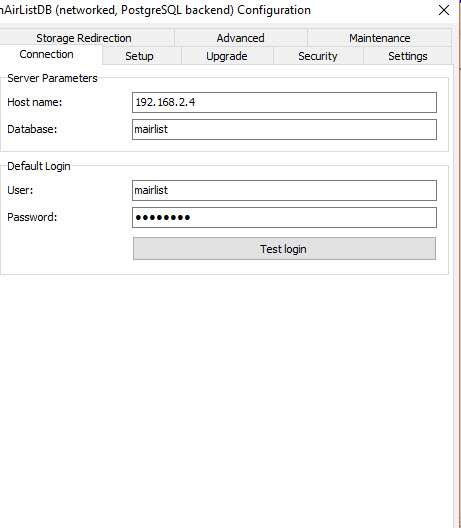
Open configuration, edit mAirListDB properties and perform a schema upgrade. (*)
Start mAirList 6, confirm that everything is running.
Uninstall mAirList 5 from the old PC.
(*) It is important to note that the old version will no longer be able to access the SQL database as soon as you have upgraded the schema. Make a backup first. Or make a copy of the entire database, and continue to work with that copy (edit the database name in the config of v6). As you are using PostgreSQL, you are lucky to have the “CREATE DATABASE … WITH TEMPLATE …” command:
CREATE DATABASE mairlist6 WITH TEMPLATE mairlist5;
This will copy the old database (“mairlist5” in this example) to a new database “mairlist6”. mAirList must not be connected to the PostgreSQL server while running this command.
In the database browser, all songs in the same category (e.g. “oldies”) have the same color. In V5, this color was also shown in the playlist. After the upgrade to V6, in the playlist, not a single song has the colored row. Am I missing a check box somewhere?
v6 uses the new “color ribbon” by default to represent item colors. But you can turn on the old style (entire row background colored) in the playlist GUI options.