I have come across some small issues on v5 lately:
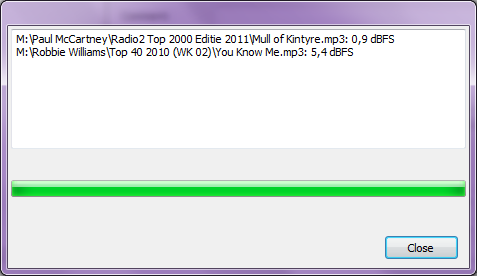
When I use Mass Edit to normalize two or more files in the database, the new settings are not saved. The popup window only shows “Close” (see screenshot).
Album Art doesn’t always show. Is there a maximum size to it?
In Item Properties the Folder Assignement used to be on alphabetical order. Could this be restored?
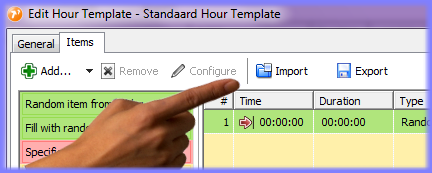
Hour Templates can be exported but Music Templates can not. A copy can be made though but being able to export the template could be handy too.
Album art import doesn’t work for all file types and in all cases - too many different formats out there. If you send me one of the files that don’t work, I can tell you the reason (or make it work).
Will be fixed as well.
Good point. I think there should be load/save buttons in the template overview dialog? Not in the template properties dialog? (The current import/export buttons only load/save the selected items from the hour template, not the entire template.)
Most albumart is already embedded in the mp3 file, one that doesn’t work is an ordinary jpg file but rather large, 1400x1400 and 97kB in size. When I reduce the filesize to 700x700 and 36kB it is shown in mAirlist. It seems there is a limit to the filesize somewhere. Would be helpful if this max size is increased somewhat.
I was testing v5 and made several hourtemplates and musictemplates. After a while I wanted to re-read the entire database and settings from v4. The newly created templates would be lost so I exported the hourtemplates but wasn’t able to do so with the musictemplates. So an import/export button as with the Hourtemplate would be handy.
Furthermore I have noticed that when the Manage Templates window is opened in the database, the Playlist is completely blocked.
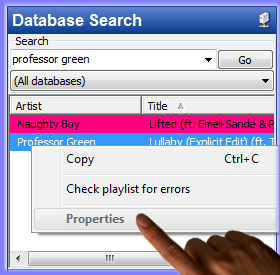
Last question (not v5 related): in the second screenshot you can see that the properties option in the browser is not available. How do I turn this on? I can’t find this option anywhere.
Just installed the latest build (2552) and have noticed that the playlist is still completely blocked when working with templates in the database.
Another issue: when using the filters in managing musictemplates, it’s not possible to use the “other attributes”, only the “standard attributes” are available. In v4 this used not to be a problem.
And last: does anyone know how to turn on the properties option in the browser? (see screenshot of my previous post)
The templates dialog is “modal” so it blocks any other windows of the same application. I can’t do anything about that. If you want the playout window to stay operational while you work with templates, open the database app as a separate process from the Windows Start Menu.
You should register all attributes that you frequently work with as “standard attributes”, also those that you wish to work with in filters obviously. “Other attributes” are just a means to add arbitrary key/value pairs that haven’t been registered as attributes. (The Standard Attributes feature hasn’t existed for so long, earlier versions only had the plain key/value table.)
Regarding the browser, I don’t think the Properties command has ever worked there, but I can try to make it available.
The Properties command will be enabled from build 2553. The dialog will be read-only though, as you cannot make any permanent changes to the (temporary) data displayed in the browser.
Thanks for enabling the Properties Command in the Database Playlist. But would it also be possible to enable the command in the other views, especially the Bin?
You stated that it was Read Only, but after making changes it is possible to Export the changes to the database which suites me fine by the way. But was that intentionaly?