Good day
One of our stations is using an external scheduler program that export a playlist for each day in the TPI format.
I noticed that after importing these playlists all the items within those playlist are stored in the “Customized Mode", which is indicated by the Orange Dot next to to the playlist item:

This means a full copy of the database item is saved as xmldata within the database, meaning that any changes to those database items outside of the database are not applied to the items in the playlist.
Is there a way to disable this behavior, and instead just reference the database items like internally scheduled playlists? (green dot)
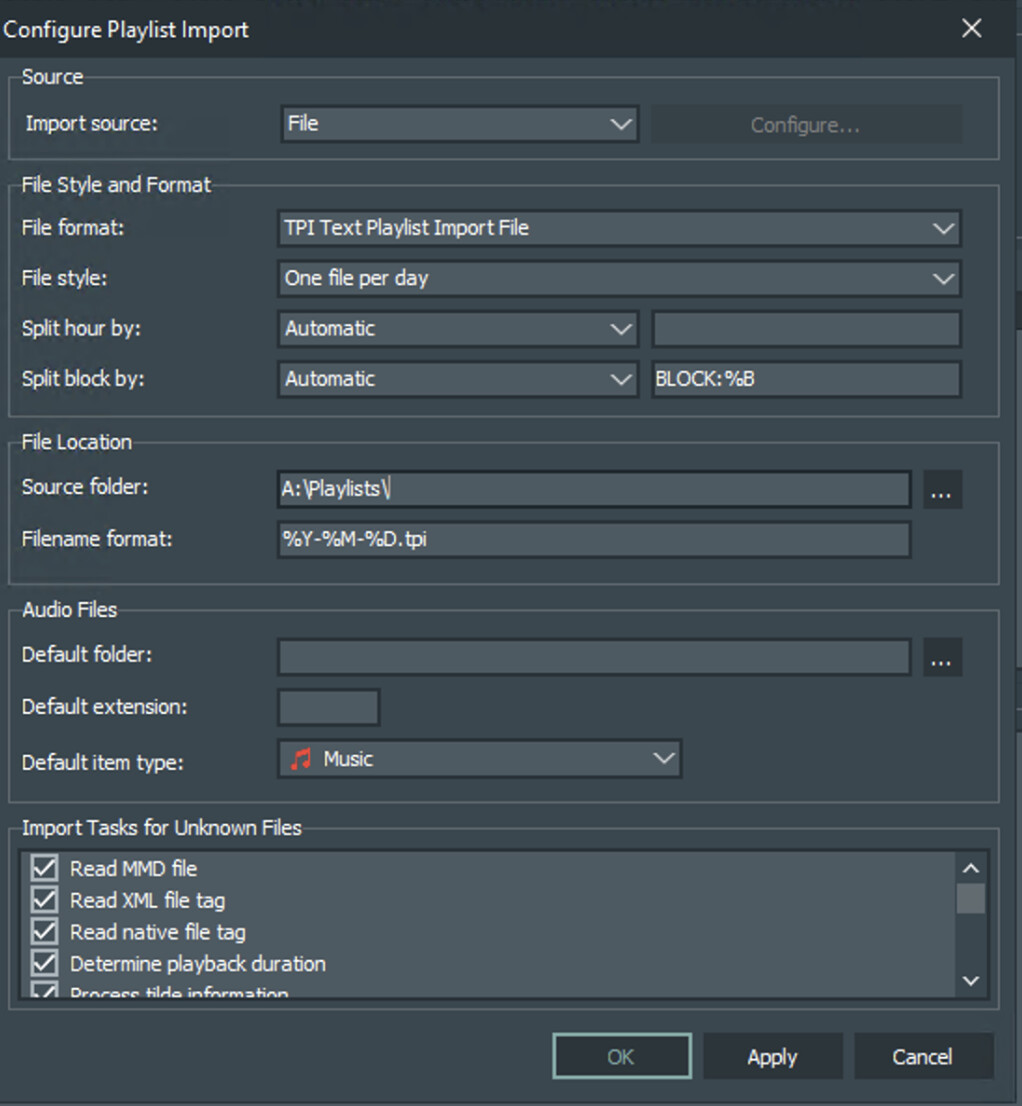
These are my import settings:
I am running the latest version of mAirlist v8 (v8.0.7)
Thank you in advance!