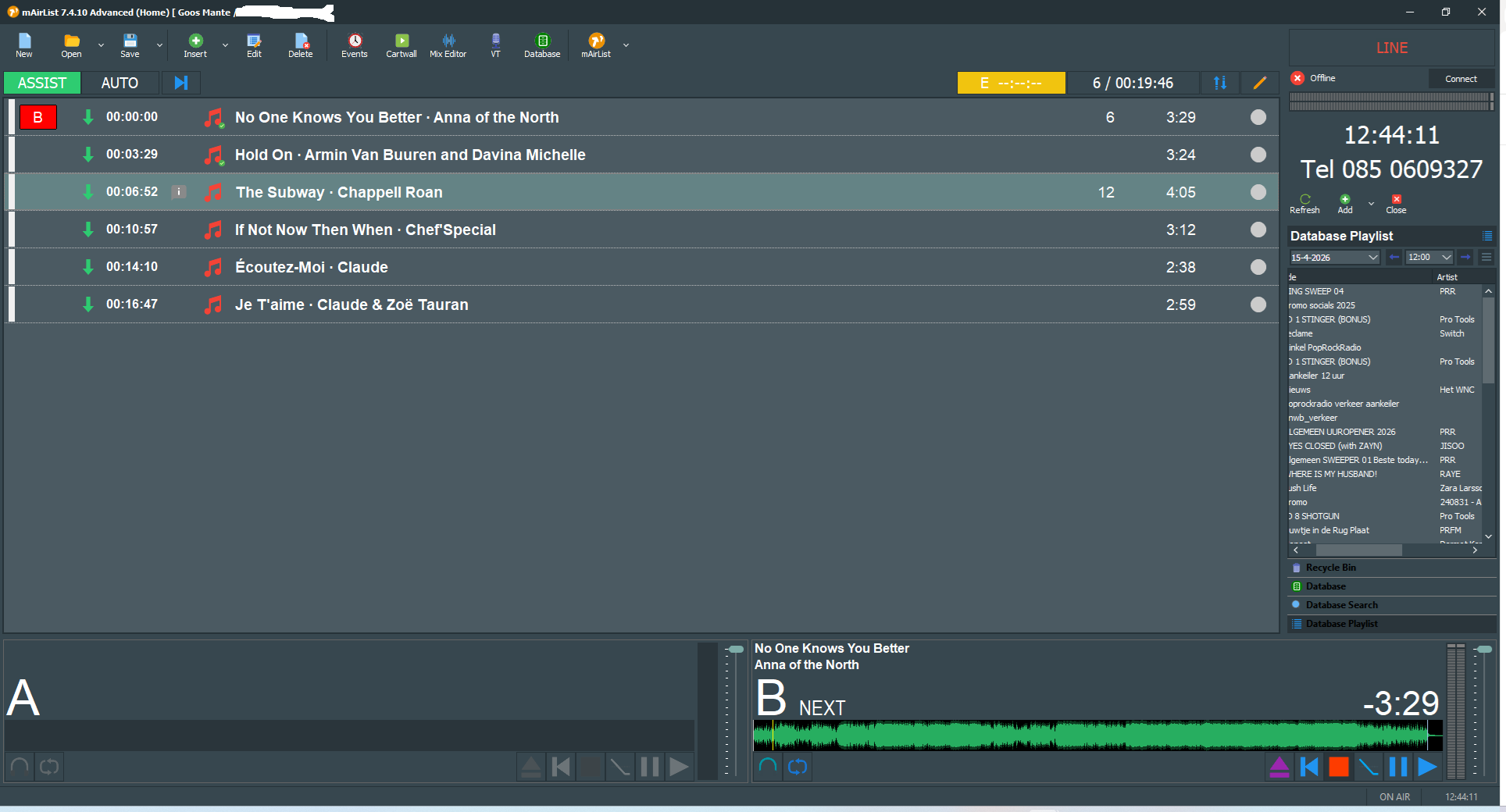
Playlist issues with idicator player

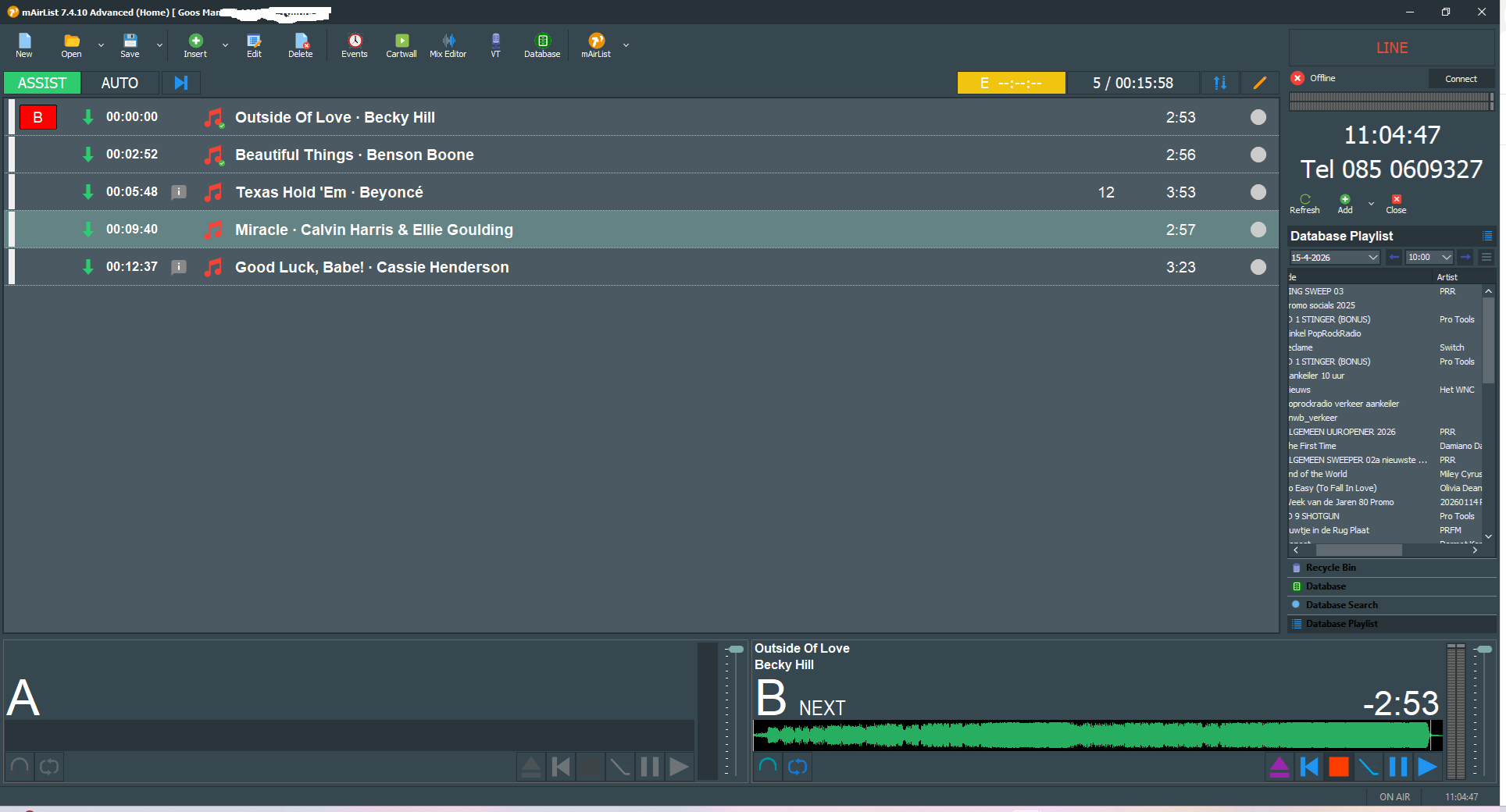
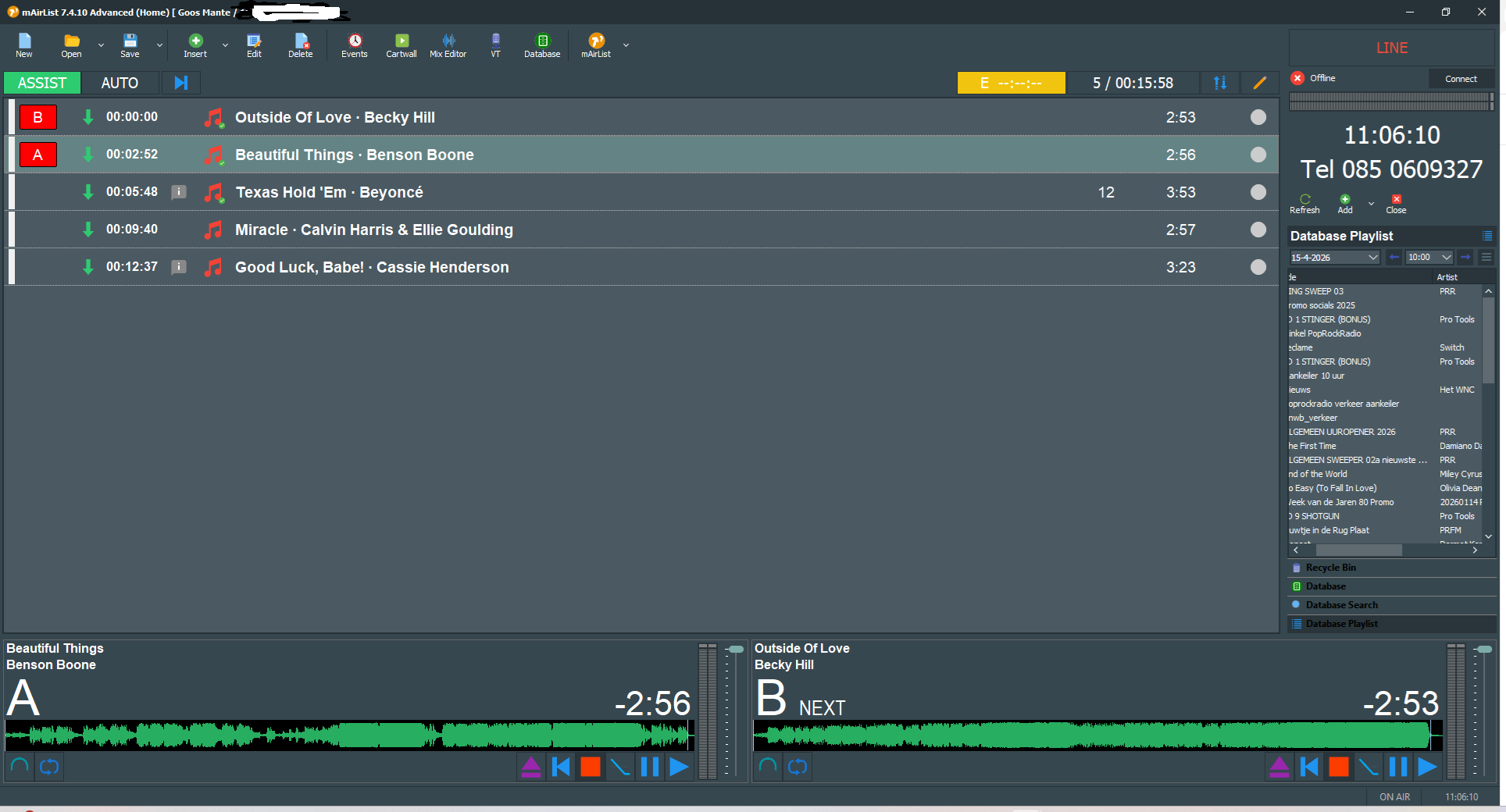
I have a strange problem. I raised this a while ago, but it still hasn’t been resolved. I only see the indicator for Player B, not for Player A. Now, I have to add a song to Player A for the indicator to become visible; this doesn’t happen automatically. I deleted the skin ini and restarted mAirlist, but the problem persists. I thought I’d try posting this message again. Let’s see if a solution comes this time, because it’s starting to get really annoying.

Now indication B is showing

It is not loading the next track in player A

When I manually add the track to player A, the indicator appears.

So what is causing this issue ,

Goos

Hi Goos,

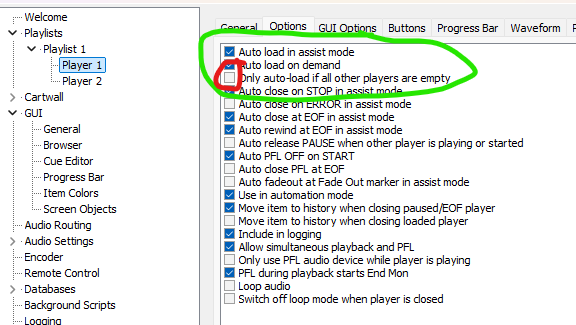
how about these settings? First two checkmarks set, third one NO checkmark.

This might explain your behaviour and solve it.

Will check
Quit logical when it is not marked on , marked it but the same issue


see screendump

Do you have any other suggetion where we can look

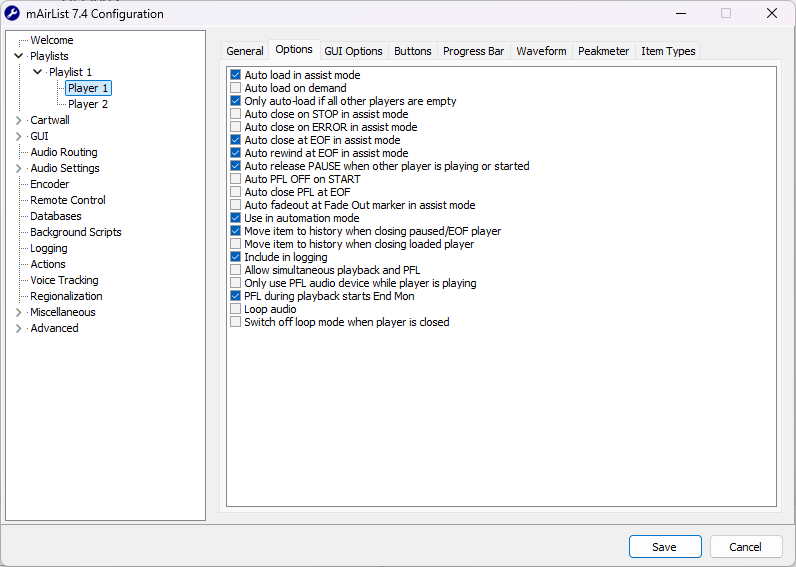
@Goos this might have happened because of the language barrier, but your second screenshot doesn’t show what I posted. Please take a look again. :upside_down_face:

  1. option: yes :white_check_mark:
  2. option: yes :white_check_mark:
  3. Option: no

I have set the language to English , can you explain more what i can do ?

Stefan likes you to tick the first two boxes in this very configuration screen, but not the third one.

Hi Stefan

Isue resolved . It has to do with the versions what was installed on my pc . I had to remove the register and also uninstal it 3 times , finaly it was normal again … Thanks for thinking with me