Each major mAirList version (7.x, 8.x, …) installs as a separate application, and keeps its own set of config files.
This is so you can install, configure and test a new major version, while keeping the old one intact at any time.
Automatic import/migration of old configuration
When you install a new major version, and run it for the first time, it will ask you if you want to import/migrate the configuration from one of the installed older versions:
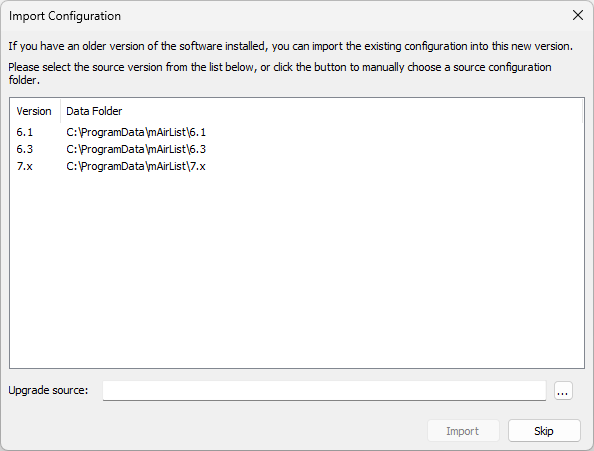
(Internally, mAirList checks for the presence of the mAirList.ini file in the configuration folder, and this dialog will appear whenever the file is missing, and a “blank” configuration is assumed.)
Just select the desired source version, and click “import” to copy the configuration to the new version.
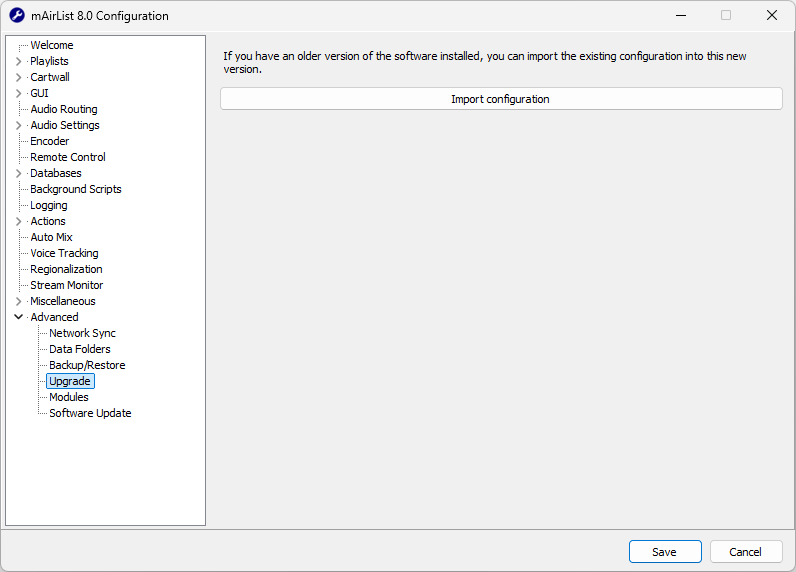
If you missed the dialog, or if you want to redo the config migration, you can go to the Advanced → Upgrade page in the configuration app (of the newer version!) at any time, and re-run the dialog from there:
Manual migration
Internally, mAirList stores all configuration in C:\ProgramData\mAirList\<major version>\config.
By copying the contents of this folder from one version to the other, you can easily clone the configuration across versions.