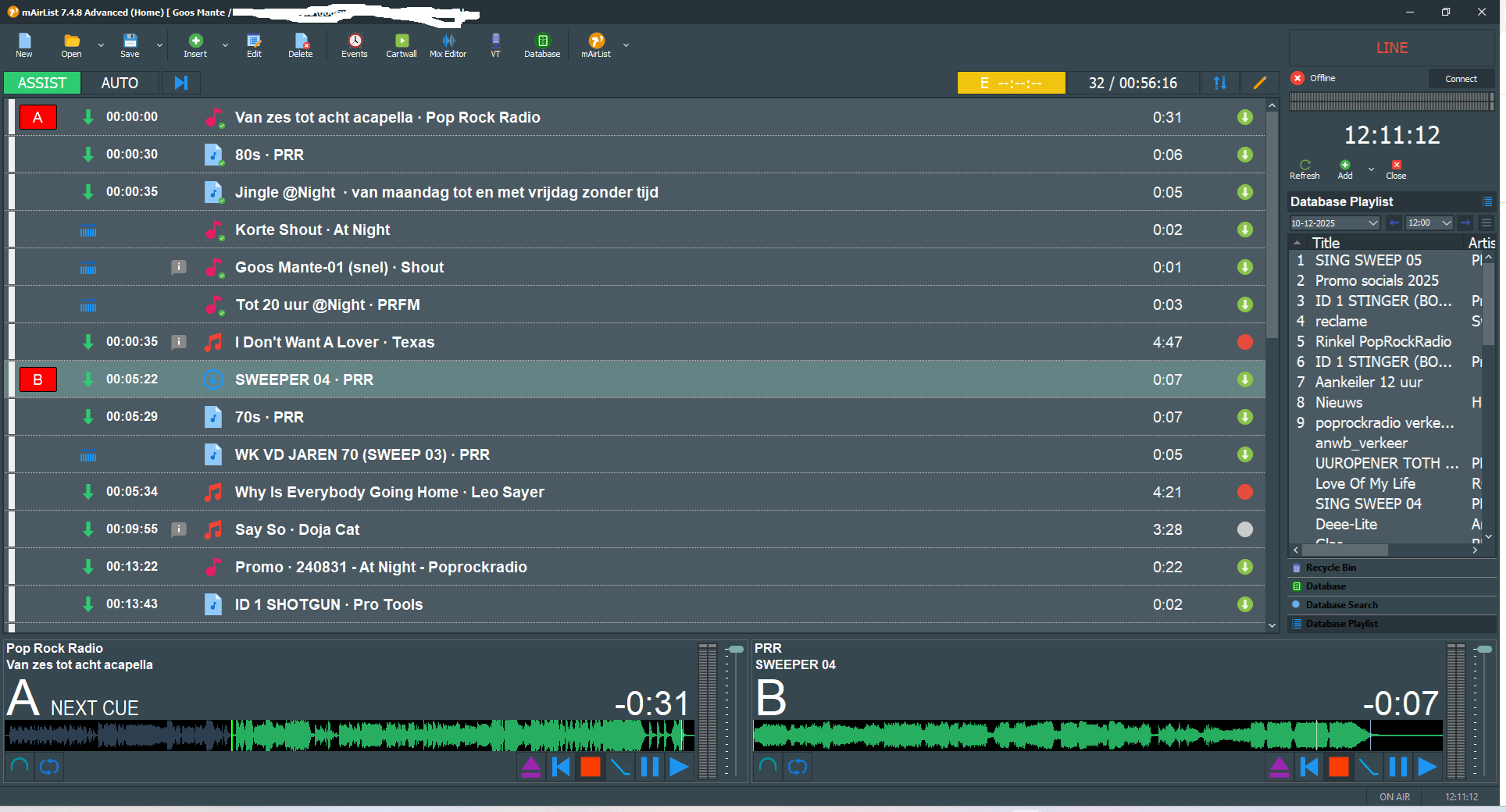
Hello, I have a strange problem when I manually compile the playlist and select the items that should be played consecutively, I now get a problem that when the first red bullet is shown, you would expect the item that should play in player A to be ready first on the next green arrow. That does not happen now, I only see it at 10 past. What is going wrong here? I have already checked if I can reset the playlist but that does not work. It concerns the Advanced Home Edition, the very latest version. I have already tried to reinstall mAirlist once, but it remains. Am I doing something wrong or is it a bug?
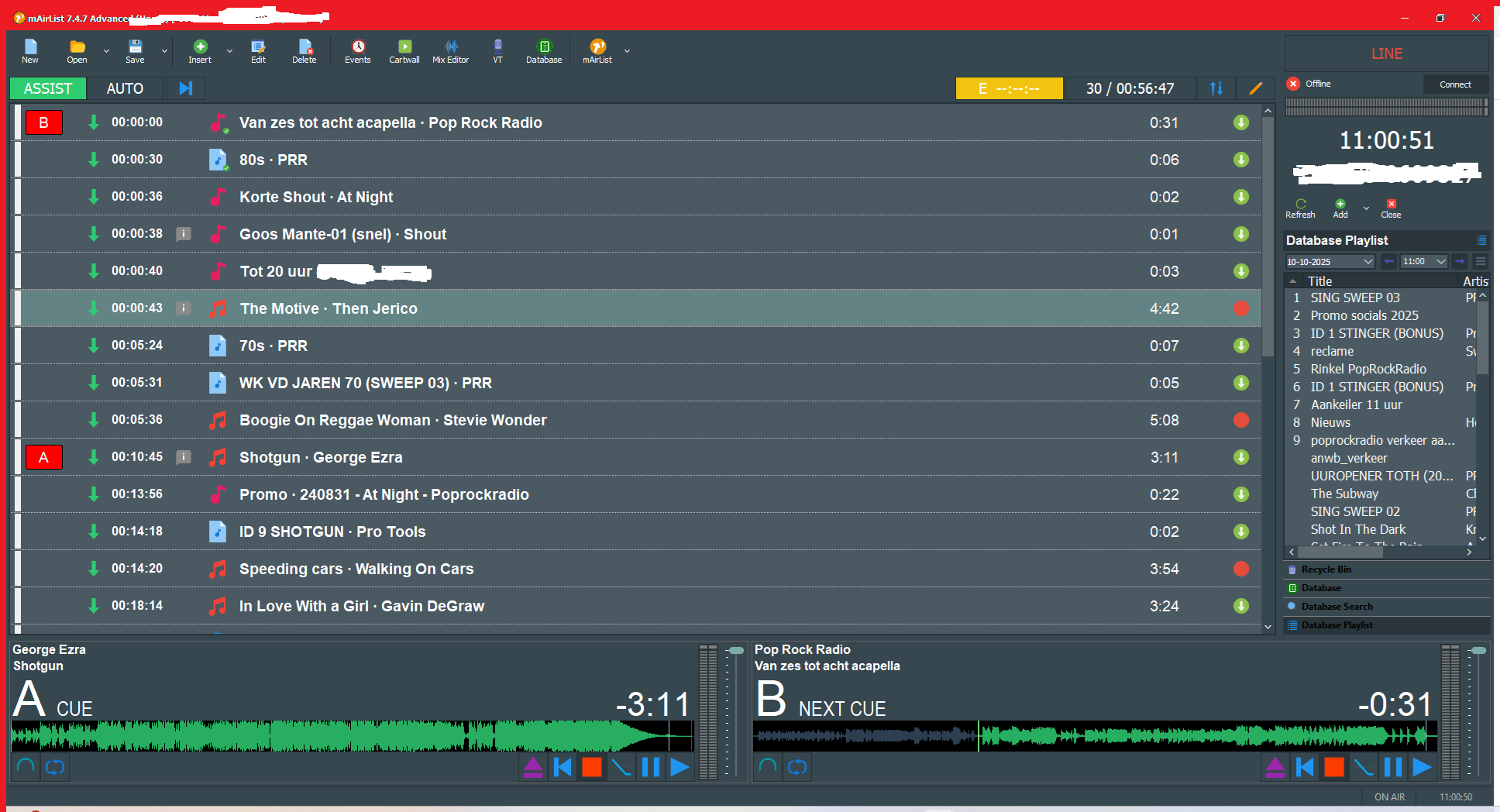
Anyone have any idea what is wrong here, problem still applies, I never had this problem before
Hi Goos, could you please explain it a little more in detail? I didn’t really understand what’s the problem here. Then I’ll try to help, thank you!
If you can see from the picture, strange things are happening. If you look at the link bullets, you’d expect player B to be ready at 70’s PRR. As you can see, it’s only now at George Ezra. At 10:45. Normally, you’d expect it to be at 70’s PRR. I’ve already tried resetting it, but you can’t do that in playlist 0. I can’t figure it out
Did you load the Players by yourself or were they loaded automatically? And you are in Assist mode?
And what happened when the new item in the playlist is played then in Assist mode?
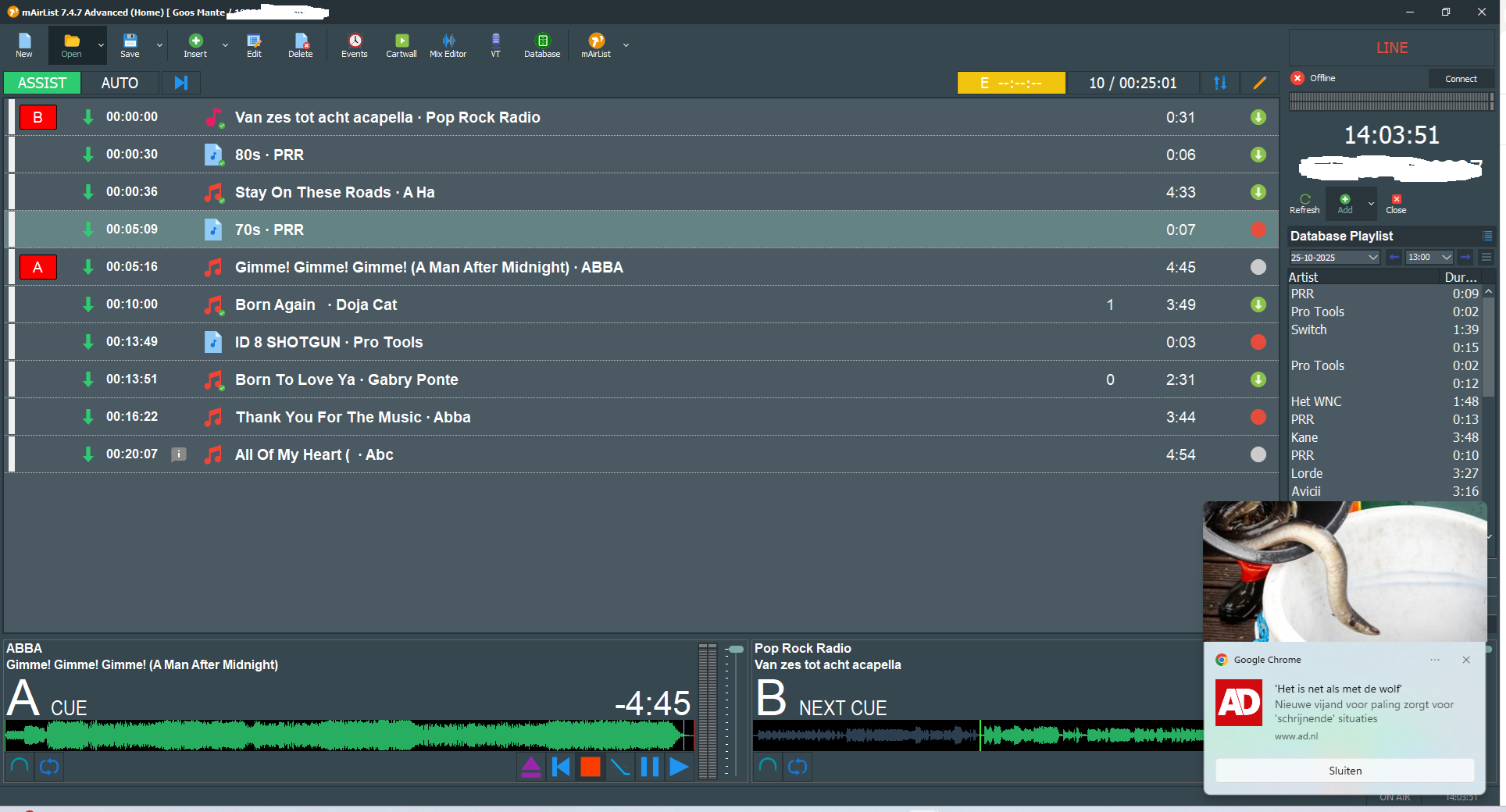
Ah, I see. As the first three items are linked, they are running in player A. Next unlinked Audio is 70s • PRR. As we are in assist mode, this item should be loaded into player B, not Abba.
Btw, what is the difference between a grey and a red bullet here?
Grey is not linked to any element.
Red means “stop/end of the link chain”.
@Goos If I remember correctly there‘s an option/checkmark in the player‘s configuration to play linked (green arrow) songs in one player in a row until  like in auto mode.
Uncheck and they will be loaded one after the other again.
So Abba do reside in Player A correctly.
Good idea, but afaik the link is not the same as AUTO, where you can define which player(s) should play in this mode.
When you look at the screenshot in #1, you will notice that your theory does not match to the behaviour in the screenshot.
For me it seems that there was a problem when he broke the chain. By setting the red bullet the playlist didn’t notice to set the following item in player state NEXT.
I have never seen this on my mAirList and I often work with this feature, but…
Precisely. 
@Torben Do you know a solution for this issue ,I have downloaded the latest version 7 . Problem still accour ,
Greetings
Goos
Hi @Torben
I did change the version back to version 6 as you can see there is it good , expect from the configuration errors ,
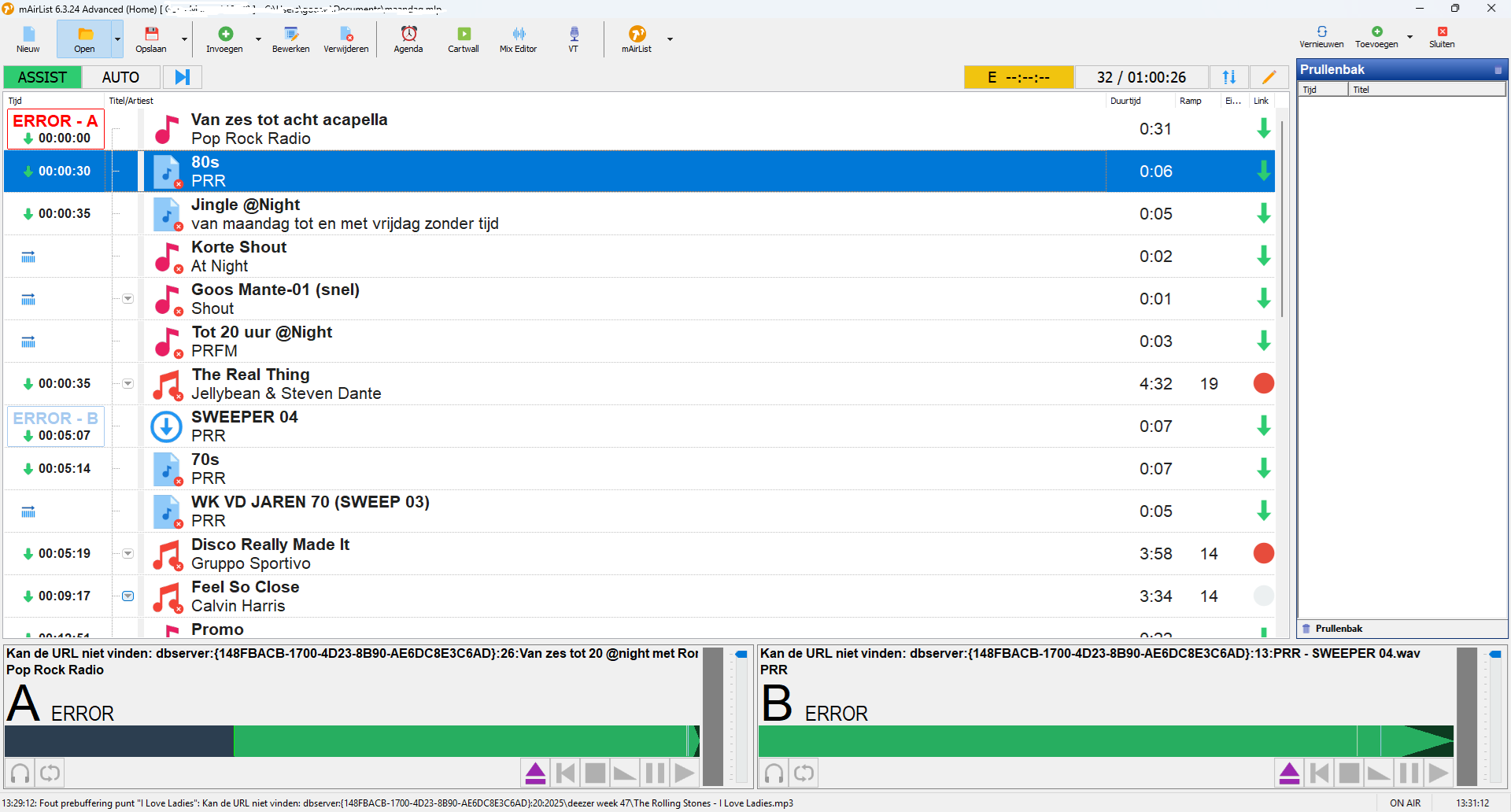
So what do you think it can be . i do not now if it can be also found in the debug file . I can send it to you
Goos
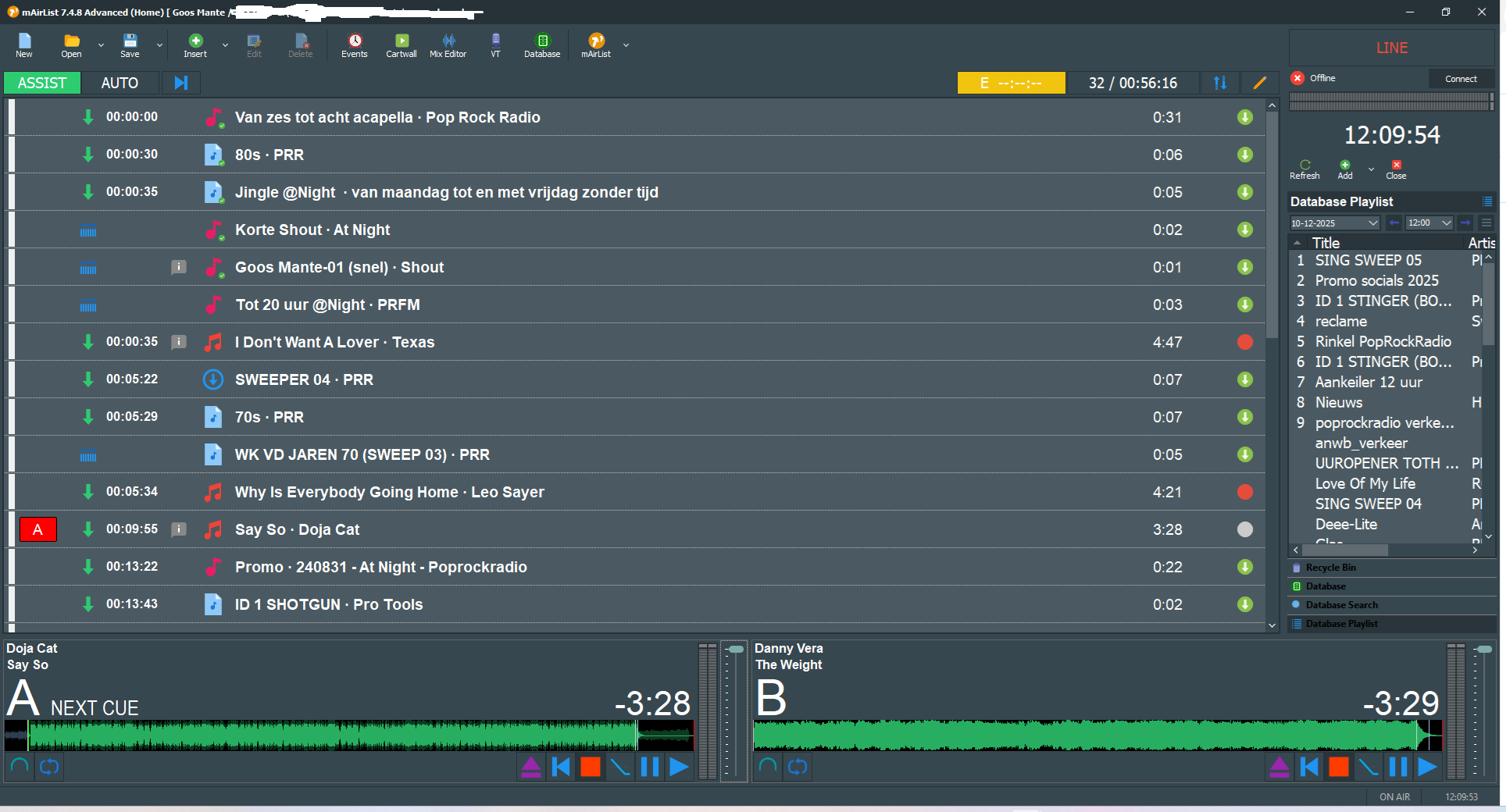
I’ve looked again at the problem I’m having with the playlist.
If I look at situation 1, you can see where the dots are that, say,
Player A is ready for Doja Cat’s track, while it should actually be at the top at 00:00 and the second track at 00:05:34.
It should be there, but it’s only at 17. It’s very vague.
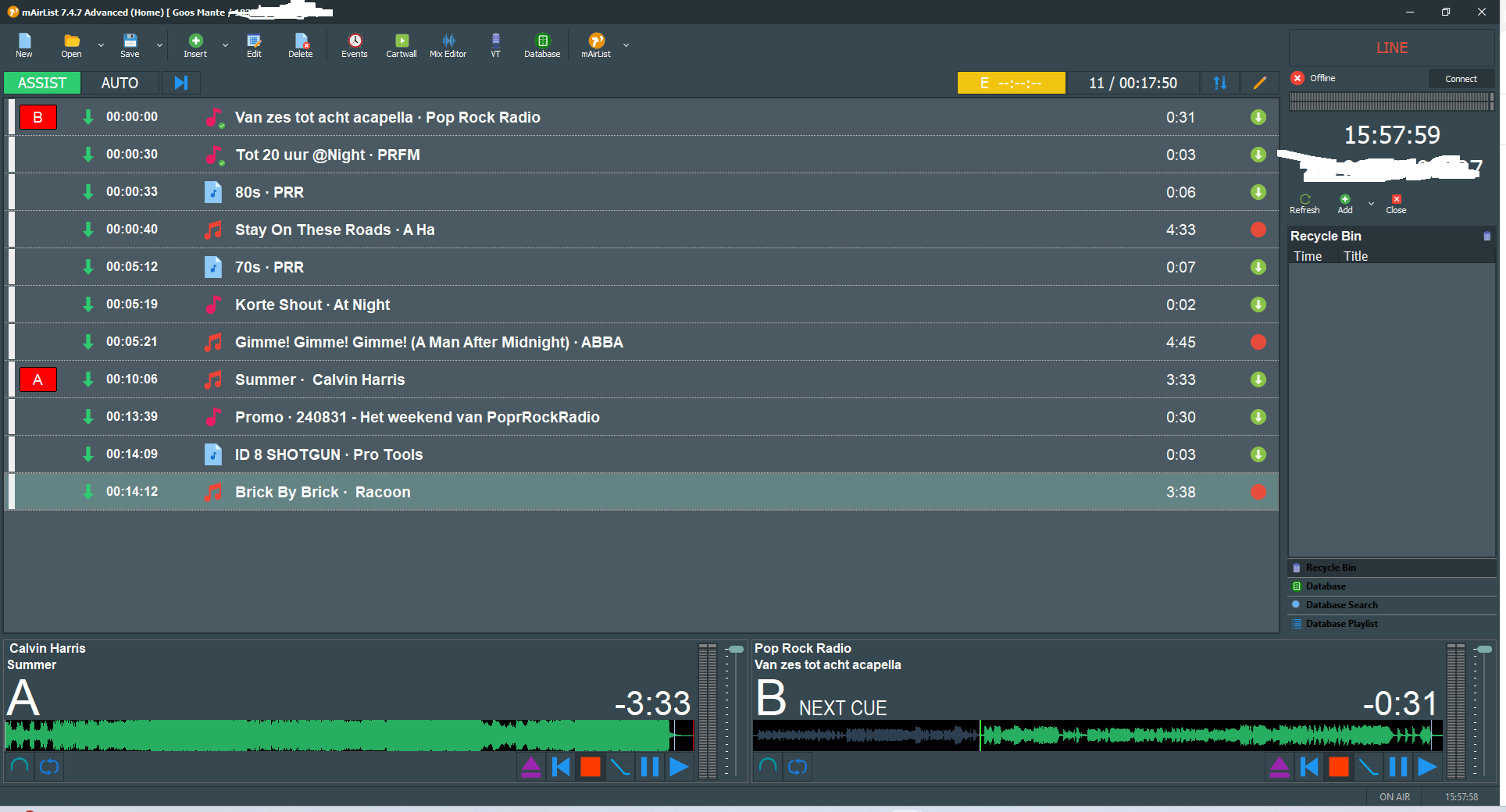
If we then force it with the mouse, select the first track and drag it
to Player A (see the second photo). Then it works fine. Something is wrong in my situation; this only happens when you manually compile the playlists.
I’ve also checked if it’s possible to reset the overlaps. That’s not the case, but it is in the database, but that doesn’t apply in this situation.
I’d like to know from @Torben or @Uli what we can do about this. Is this a common problem, or is there a way to reset the overlaps?