This is driving me crazy! I’m using mAirlist 8.0 beta and when I read MP3 or FLAC files, they are imported in my folder but the Duration keeps at 00:00:00 of all files I import. The files all have a duration when I check them in Windows explorer or a tool like MP3Tag they all have a duration. They also play fine in any mediaplayer. In my audiosettings plugins I have bassalac.dll 2.4.10 an bassflac.dll 2.4.5.5. I cannot see what I’m doing wrong? My database is a MySQL database on a Synology NAS. Everything had been restarted severl times and in different orders. Anny suggestions?
Hi and welcome to the comunnity!
Did you use mAirList v7 before and did it work before? Or are you a new mAirList user?
How do you import them? (Synchronizing, Auto-Importer?)
Thanks for the welcome!
I’ve upgraded from v7 and as far as I can see all tracks that were present when I was running v7 are all having a duration. I use Synchronize to add new files in v8 and that’s where my durations is not taken from the imported files.
1 Like
Thank you for the details.
Is this checkmark still set in the import dialougue?
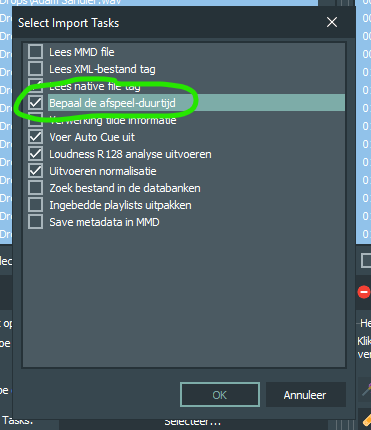
(Screenshot with NL Interface because I assume you’re using it)
Yes, they are all set. I’m using the English lanuage bytheway. Strange is that it is set as default task and when I Synchronize the list is empty. But also if I manually set them I don’t have a duration.
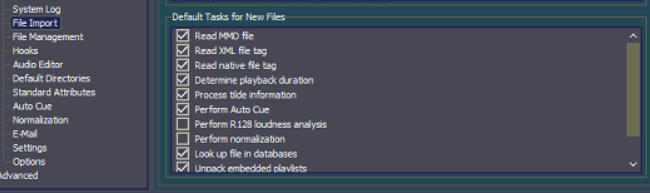
Synchronize - Import tasks
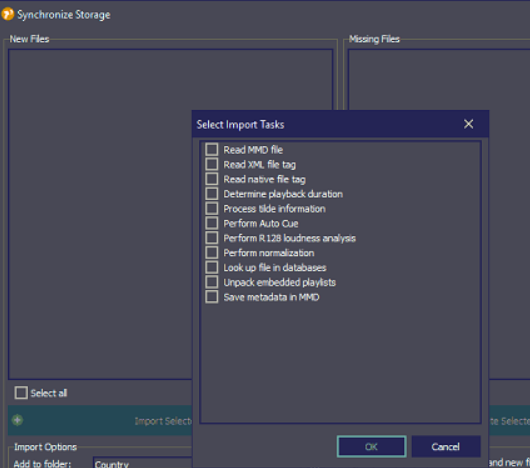
Result afer Synchronize. Top 2 were synced, happens with both MP3 as FLAC

So you have not checked „determine duration“ on synchronizing and are wondering why no value is set?
No that’s not the case. That was to illustrate that they are set as default task in the mairlist settings and in the Synchronize options they are all empty. Missing duration in my library is also when i have checked ‘determine duration’
Ah, okay. Sorry ’bout that.
Have the same problem, but I discovered that it happen on my mp3 48k songs. They worked fine in previous version. If there is a 44,1k mo3, it reads correctly. Thank You. Ighi
Something like that was I thinking before, but in my case it goes wrong with all bitrates. This one for example is 44.1k and will not show a duration. Tried many-many things, FLAC, MP3, several bitrates. It is driving me crazy
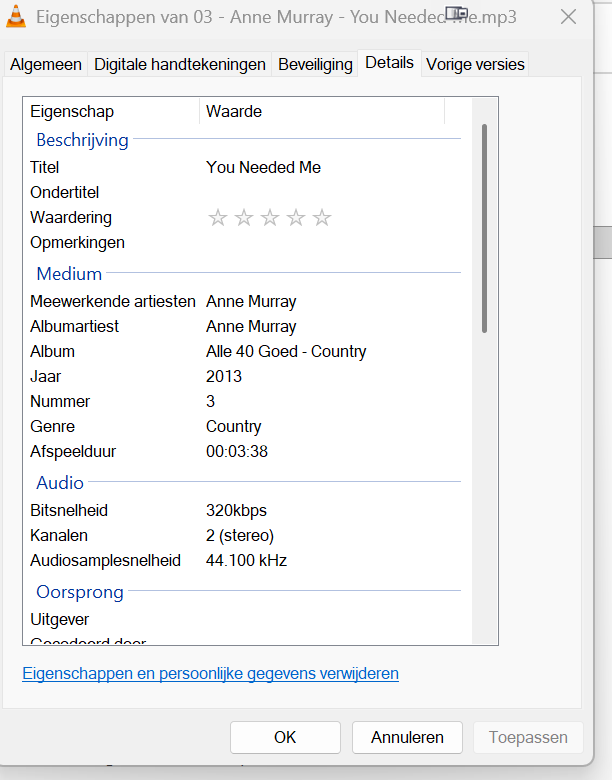
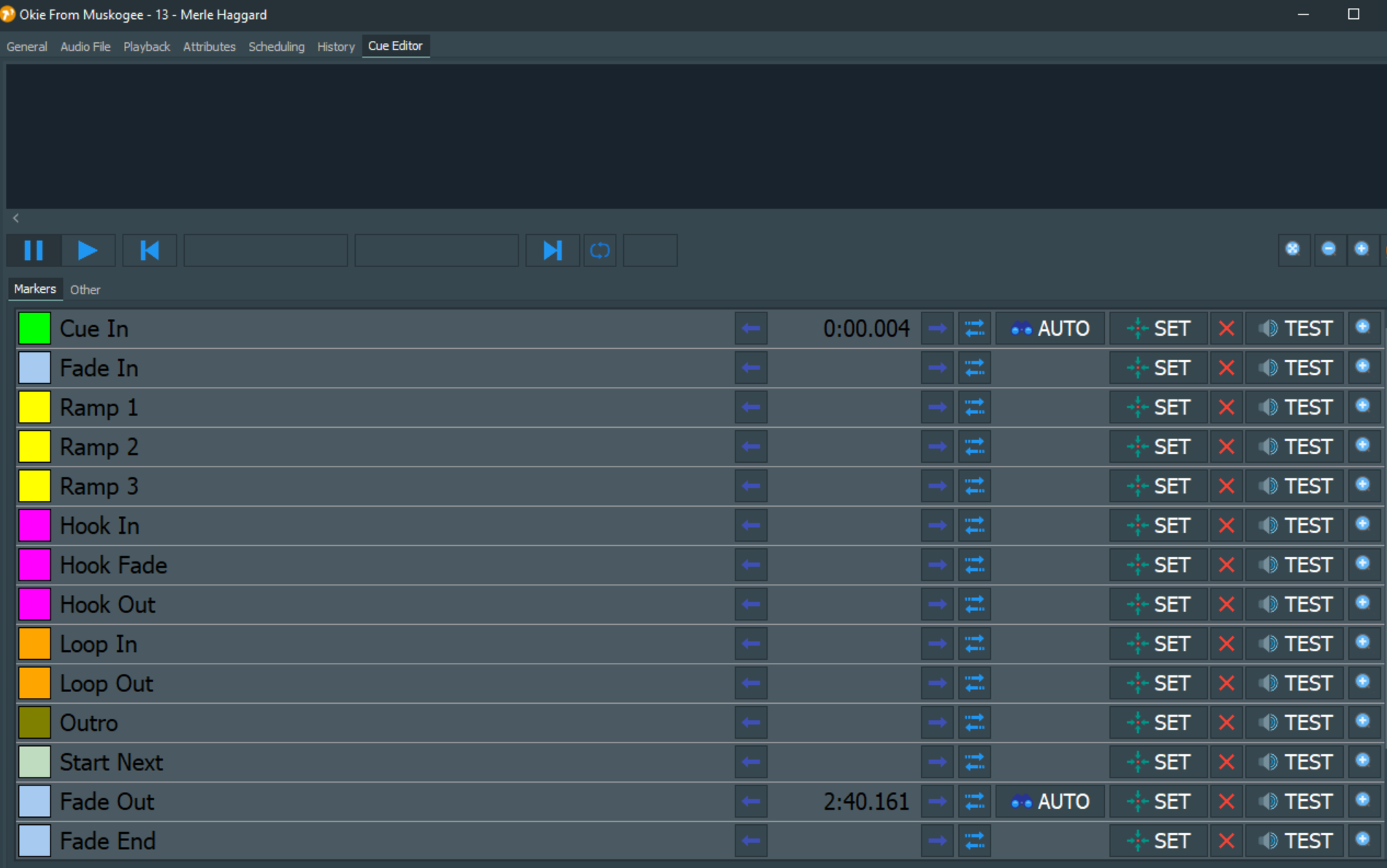
Also tried Mass-Edit and Determine Duration for the files where duration is missing. Still no Durations after doing that. The strange thing is that I do see a Cue in and Fade Out time in the Cue editor, but that’s all. No waveform also.
How can I move this Topic to the mAirlist 8 category?
Fixed in build 8007. There was a bug that prevented the software from reading your last settings from preferences.ini correctly. Only happened when you had some of the optons checked (not all and not none).
By the way, the list in the config app says “Default Tasks” because it is used in places that do not have a config setting of their own (like the DB Sync dialog).
When you sync a storage for the first time, it will use the same options as defined in the config. But after that, the sync dialog will remember the last options you used for that storage.
3 Likes