Somehow tracks seem to be used more then others, even they match exactly the same criterias.
Below you see a report of one day with the counting of music items:
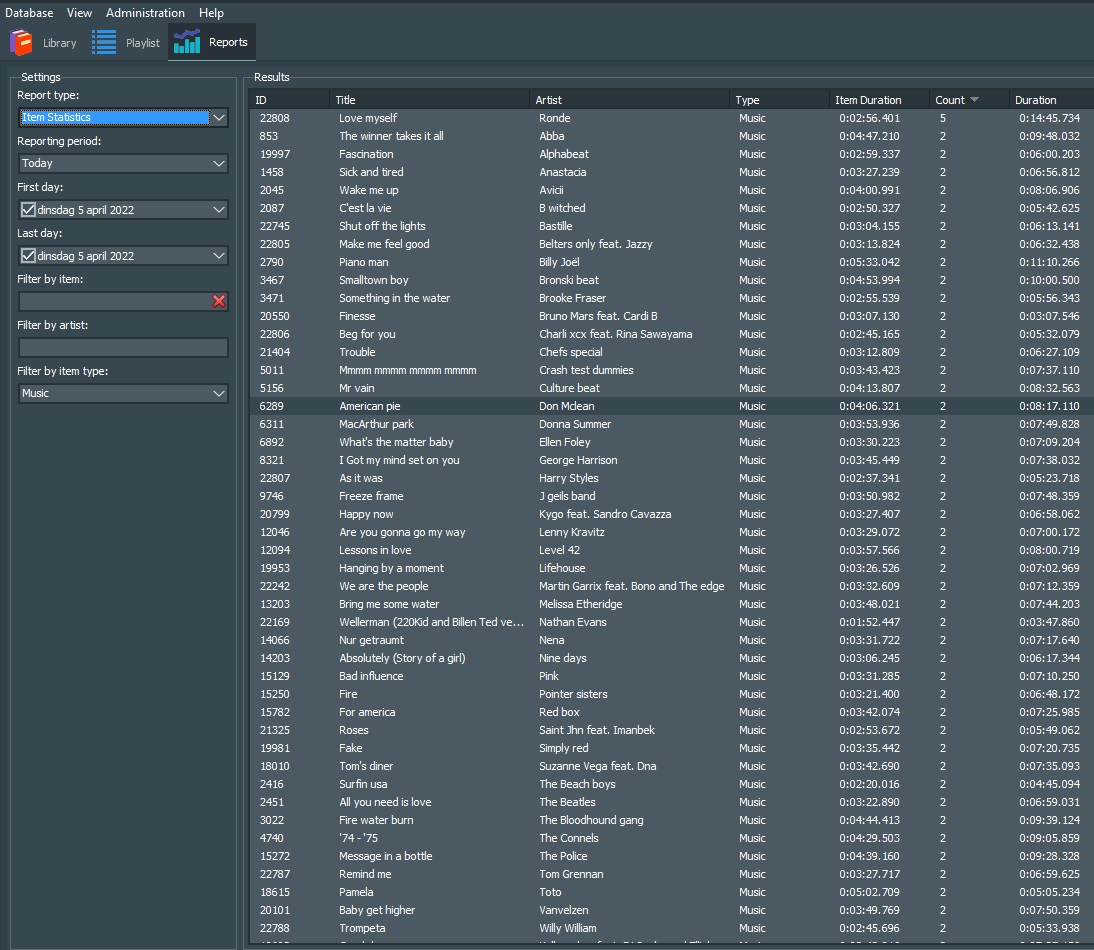
As you see every item in this view is scheduled twice today.
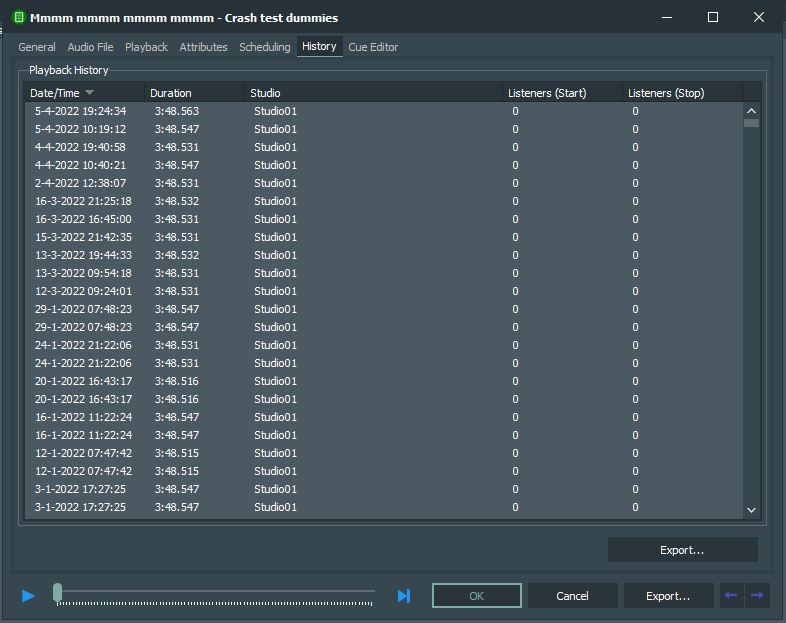
Now I’ll take ‘American Pie - Don Mclean’ and look for the history:

It is more often that the item is played twice a day.
(NOTE: the doubled items wich start around the same time were a bug in the exporting the logs. This is already solved)
My seperations are lot higher:
Track seperation : 27 hours (Penalty: 6)
Artist seperatio: 9 hours (Penalty: 4)
Title seperatio: 5 hours. (Penalty: 2)
Also I have created my music templates very carefully and I am 100% sure that the scheduler has enough tracks to choose from so no track should be played twice a day. But somehow it keeps picking the same Items for a while then changes to other items.
The music template setup is very simple, it can take any item from a folder without any restrictions.
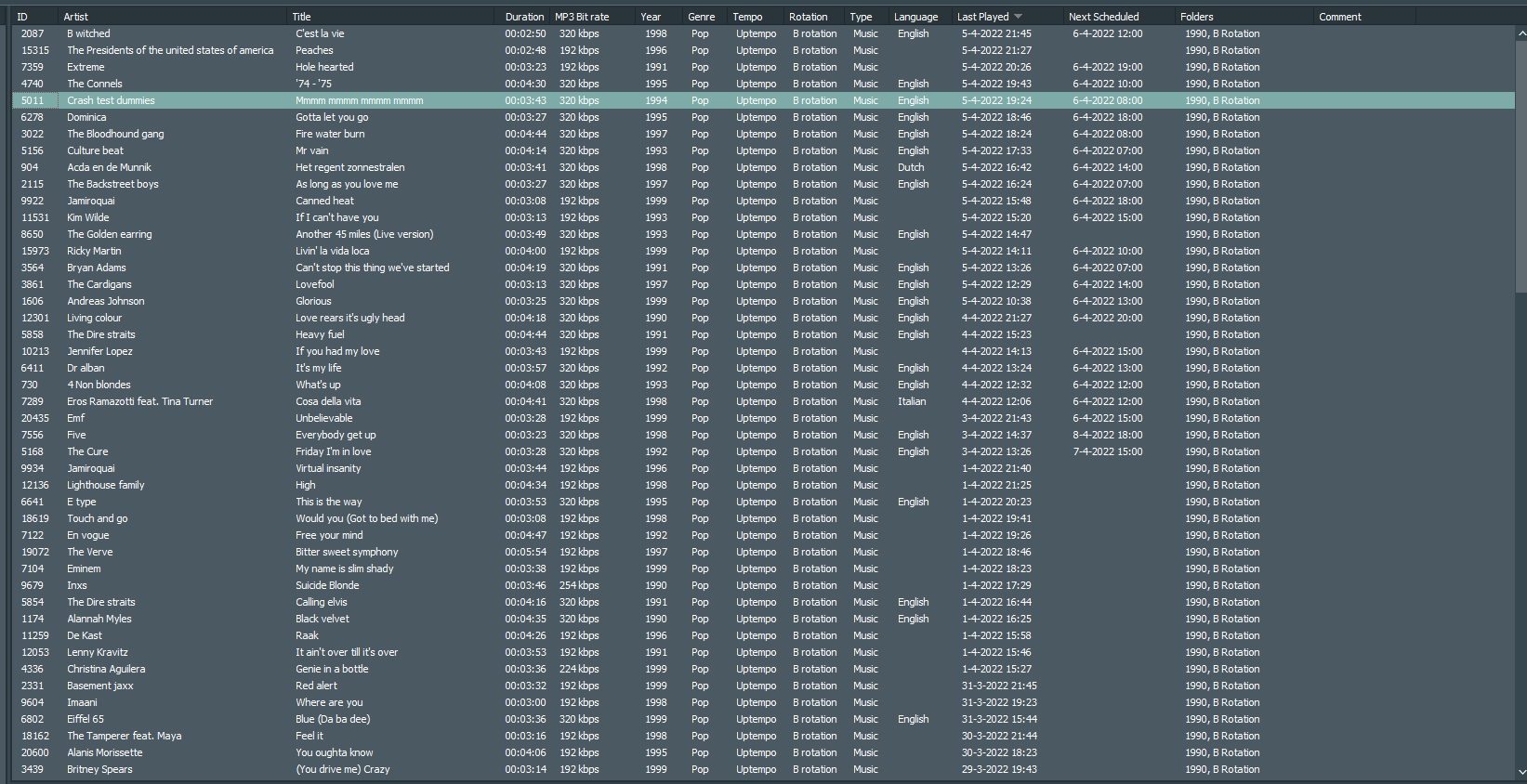
Here you see the folder where this specific item is in located for the scheduler:

It is clear to see that somehow the scheduler keeps repeating to schedul some specific items before going further to other items.
What can this be?
I been looking around and found an update of version 6.3 (4467) Here is a bug fix for ‘reapeated songs in subsequent hours due to incorrect separation calculations’
Lately I have been testing a lot with the scheduler and tried a lot.
(Pick item with or without attribute restrictions, work with subfolders.)
That is all disabled now, the scheduler can pick any item from the specific folder.
What can cause this doubled tracks? And more important. How can I make sure that the items are picked first wich are played less recent…