I’m experiencing an issue with crackling or distorted sound in my stream after mAirList has been running for a day or more. Sometimes it happens after just one day, sometimes after a few days of continuous operation.
At first, I thought it was related to Windows updates (since it sometimes happens right before an update), but it also occurs without any apparent reason.
I’ve already disabled all USB power-saving settings, which used to help when I was running Windows 10 — but I’m now on Windows 11, and the issue persists.
Has anyone experienced something similar or found a reliable fix? Any ideas about what might cause this (driver issue, buffer size, or audio device timeout)?
I’ve had this before and blamed my sound device for it. (Had it sent to the manufacturer just to learn that there was no issue at all.) The only remedy in my case was providing an new computer.
Maybe you have the opportunity to install mAirList on a different machine for comparison.
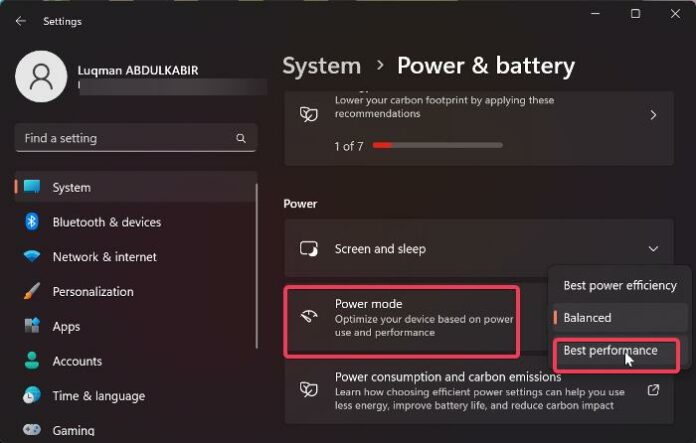
Well I guess setting the Power Saveing mode to High Performance is a very old Mythos and usually should not be necessary any more since Windows 7.
Be aware that this runs the CPU always on it’s highest frequency. So it will drain a lot more power and also produce a lot more heat, that will result in higher fan speed and higher Wear out on the fans itself.
This Mythos does come frome the very early versions of Intel Speedstep technology that was on the first Centrino Generations launched in the year 2003 and followings.
Any System developed 2010 or later should be fine, so if that really helps solving your problem some hardware vendor did some very terrible job on a modern system and it should be fixed under warranty.
I would look into the BIOS settings if there is an option to enable or disable spread spectrum on Peripherals/Bus systems. But there is no definitive rule, I saw systems imrpoving stability and reduce EMI when it’s enabled but I also saw systems imroving stability switching it off.
I’m really curious why this mythos of setting high performance still exist but also if it improves your situation.
I had the same issue, it was caused by an usb remote control unit used for fader start , it made a buffer overload and got crackling and ittermittend sound.
The issue has not yet been resolved, but I did come across another error message that I can’t get rid of. I am using the 2 x 6 option for the cartwall, so not cartwall 13 through …, and I have no idea where I can restore or adjust this. Could this also be related to the malfunction I described above? I would like to know if anyone has a solution for this.
Well I have seen problems if cart sets were created on a different sized cartwall. But I don’t remember the error message that occured.
Is there any chance that the cart set you have loaded was created on different cart wall layout or a different mairlist installation?
I don’t think that both problems have the same root cause.
Usually Audio problems are related to either timing or memory issues.
Did I understand that correctly, you tried @TomJumbo83 s suggestion set Windows to best performance mode and it did not change anything?
Can you give us some more details about your computer and audio hardware?
Is there any BIOS/UEFI Update available for your mainboard?
Depending on your Audio device and your Mainbaord, especially Intel fixes a lot of stuff with the Chipset driver, that also includes USB Host drivers for example.
Yes, I also tried the idea from @TomJumbo83, but that didn’t work either. It seems to be something between mAirList and Windows, because to fix the issue I only need to restart mAirList, not the entire computer. I’ll look up the computer details and get back to you, but I don’t have them with me right now.
We used to have the cartwall on a separate screen, but I can’t find anything related to that in the settings anymore. Do I need to create a new layout.ini or something like that?
You are loding the cart set from somewhere. If you open that file with the windows editor instead of mAirlist, and post the content here as a code block we can have a look at it.