Hi,
Does anyone know where the default icons for the different file types (Dummy, Sound, Jingle) are stored as I would like to change some of them.
I’m using mAirList 6.0.
Rob 
Hi,
Does anyone know where the default icons for the different file types (Dummy, Sound, Jingle) are stored as I would like to change some of them.
I’m using mAirList 6.0.
Rob
In order to receive support here, can you please enter the (valid) license serial number into your forum profile. Thank you.
Hallo,
I would also like to know this in V8.0
Please be patient. One post on this topic is enough:
Oke, ill tray in the future.
But is there anyone ho has an answer?
Hello,
I don’t know if it works for v6 but it works in v7 and v8.
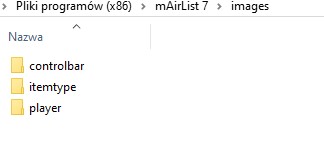
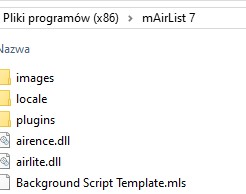
If you make a map and called it: (images) in the default install map of mairlist:
C:\Program Files (x86)\mairlist 7 or 8\images
in the map images you make a map called: (itemtype)
in the map itemtype you make (icons).svg files as:
Dummy.svg
Sound.svg
Jingle.svg
Unknown.svg
Advertising.svg
Music.svg
Container.svg and so on…
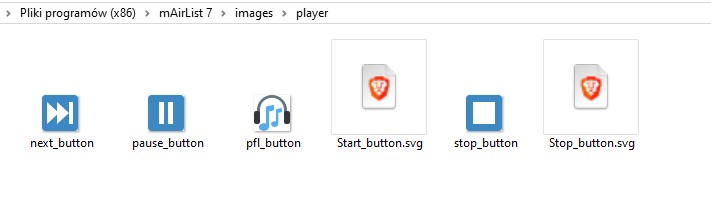
Player Icons are going in to a map that called: (player)
C:\Program Files (x86)\mAirlist7 or 8\images\player
Start.svg
Stop.svg
Pfl.svg
Pause.svg
FadeOut.svg
Extra info: So for every element in the layout designer you make a map that is linked= to the element.
example: if you want to change the controlbar icons:
make a map in images that called (controlbar)
in the map controlbar make (icons).svg
Assist.svg
Auto.svg
Next.svg
Play.svg
Stop.svg
I hope it helps you and more people how it works to change Icons in mairlist7 or 8 maybe v6!
kind regards,
Frank
Hello Frank,
thanks for your help this works in V8
kind regards,
Toon
Hello Frank,
What size should player buttons be? 24 pixels? And how should they be saved? Start_button.png or Start_button.svg?
I enabled the Transparent button option in the player GUI, and the buttons don’t change.
I still don’t know how to change the appearance of the player buttons.
Perhaps you could help with this.
Thank you, Dominik.
Please don’t use code blocks (```) for regular text. I’ve removed them from both posts.
Thank you very much.
No bitmap- or pixel graphics are allowed. Use vector graphics in .svg-format instead. Size dosen’t matter as they are scalable.