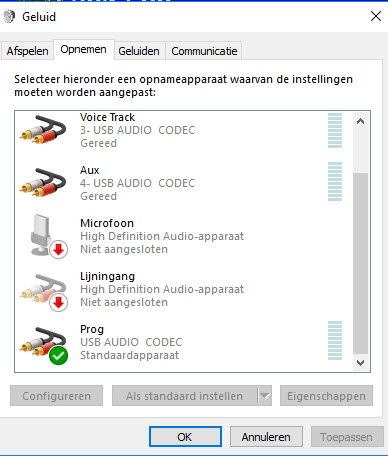
Yes, it’s that time again: the biggest annoyance of Windows 10 in combination with mAirList. 
Today a Windows 10 Update was performed and after that the broadcast PC was restarted. If I now want to choose the external routing setting https://www.mairlist.com/dokuwiki/features:encoder (so via my D & R AirLite mixer), there is no result on any recording channel. I can hear the broadcast in the PC via the built-in speakers, but that’s not what I want.
I want the Line Input back to “Prog” in Encoder, but I’ve lost my settings again. Who can help me?
@Torben, can you please built something so that mAirList will save the settings, independently from Microsoft Windows? I am willing to pay for that!