Hi, i have a Problem.
Weather I import music bought on iTunes or from CD the Artist is not showing up or rather is blank.
Im pretty new to mAirList sooo…
Thank you 
Hi, i have a Problem.
Weather I import music bought on iTunes or from CD the Artist is not showing up or rather is blank.
Im pretty new to mAirList sooo…
Thank you
Hello @Flashworld welcome to the mAirList community! Enjoy mAirList!
Before we can help you with your question, can you explain a little more. What actions do you take to import e.g. a iTunes file?
I’m importing mp3 files from a local file
What is the file format (codec)?
mp3 from iTunes, wma and m4a from Windows Media Player. This is how I convert my cds.
I have all my files sorted in a folder by artist and album. i imported the whole folder into a local database and activated “keep folder structure”.
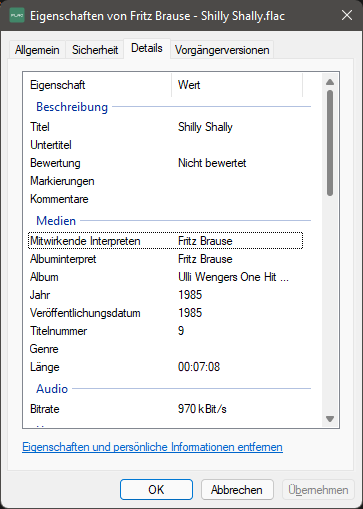
When you open the element properties in Windows, is Artist and all other ID3Tag fields filled with information like it’s shown here?
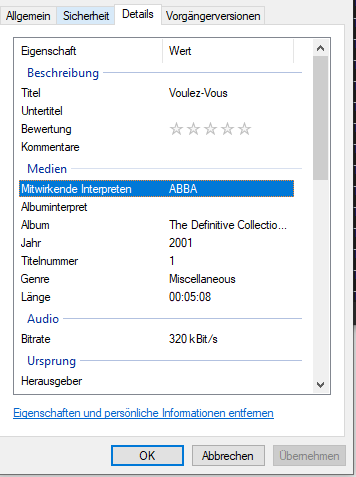
This is what it shows.

Are you a german-speaking guy?
yes i am a german speaking guy.

Wir haben auch einen deutschsprachigen Bereich, wenn du magst. 
However, we can continue in english. Thank you.
BTT
Would you mind uploading one of these tracks to mAirList Support, so we can test the file?
Link follows, if you agree.
Of course, how do I do that?
Okay, I uploaded a song.
Okay, tomorrow then. Thank you.
Hey, did you review my file and does it work on your end?
If you bought them from iTunes, the files a probably in AAC/m4a format?
If so, you will be able to play them without any plugin (because the codec provided by Windows will be used internally).
But in order to extract metadata/tags you have to install the BASS_AAC plugin. See here: faq:bass-plugins [mAirList Wiki]
Thanks for your help, I can play every file format but the Artist doesnt show up after importing it to my database.