All the tracks that are played on the station have an album art image (jpg/png) attached. When I create a playlist via the scheduler it seems that a lot of tracks don’t have the album art image. It seems blank there. When checking the library, the album art is present. I already have tried to attach them again and export the settings to the database, but still there are a number of covers that are not shown in the playlist.
With pictures:
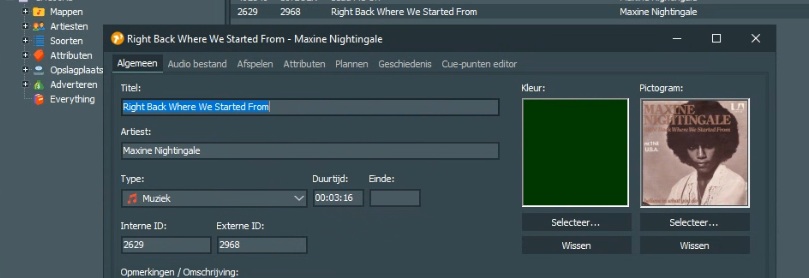
I have set an album art image.
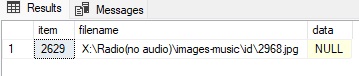
It shows up in de database like this. The image is based at that location.
When I regenerate a playlist the tracks shows up like this:
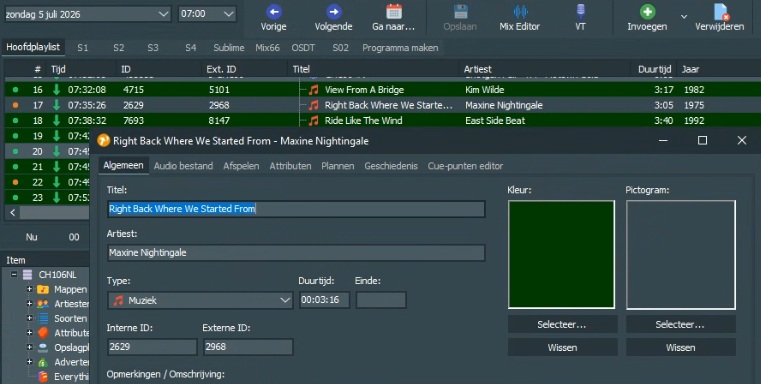
there is no image shown, when it is loaded in the playout playlist it shows up like:
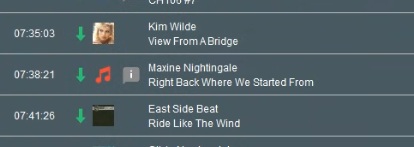
As a result there is no image referal uploaded to the website. This happens 5-6 times per hour although an image is present. How can I solve this.
Is this a bug or is there a feature that can help resolve this issue?
This is very annoying. Now an hour where half of the covers are not set within mAirlist.
I have been looking on reference:logging_variables [mAirList Wiki] but I can not see the source of the values. I have %k Icon filename set for logging. This value is obviously linked to the playlist and not to the track directly. Is there another value that refers directly to the value connected with the track instead of the value connected to the playlist? Is there a workaround?
When you copy the failing item to the clipboard, and paste it as XML in a text editor, is the IconFilename field present, and does it contain the correct filename?
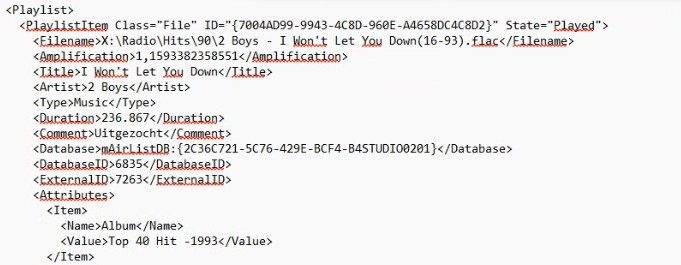
Now do the same, but this time, copy the item from the DB library instead of the playlist.
PS: For better readability, wrap the XML into a Markdown code block like this (with the four backticks syntax) - you can use the “Preformatted text” button from the editor toolbar:
````xml
<Playlist>
  (content)
</Playlist>
````
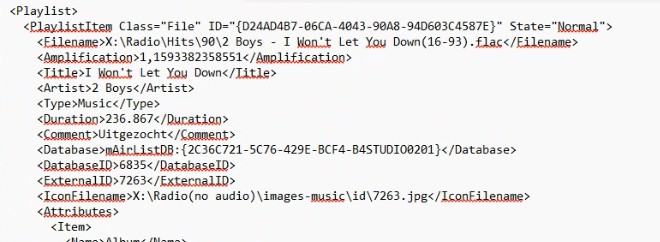
A manual copy the track into the playlist keeps the IconFilename… not sure but it seems random.
I found something, not sure. This can also be a result of the error, but it might have to do with the cause…. if I check [dbo].[playlist] the items that fail have xmldata. The items that work have XML data NULL.
Can you tell me how the xmldata in dbo.items is created? This could wel be the origin.

816 tracks have this setting and I recognize a lot of these tracks as the ones that have this problem.
What does customized true mean?
“Customized” items within a playlist contain a full copy/snapshot of the item data at the time it was modified. An item becomes customized when changing it within the playlist (e.g. changing a cue point, or when the item has been used to do a VoiceTrack, etc.).
So that snapshot does not seem to contain the icon item name.
If you right click the item and click “reset”, it wil no longer be customized, and should thus use the latest version of the item from the database.
Ok, thanks for the feedback, but when I rightclick item I do not have the reset option. I guess deleting those values in the database dbo.items where matched would have the same effect?
Made a backup of the database and removed the xml data in dbo.item where it was set to custom. I have regenerated and first impression that is is solved. Fingers crossed.
Ok, getting closer. A little background info first:
As explained above, the “Customized” flag is set when an item is modified on playlist level. From then one, a full copy of the item is kept in the playlist rather than just the ID (as a “linK” to the library). You can see the small dot turning from green to orange, this indicates that the flag is set.
But it should actually never be saved to the library. Maybe there is or was a bug that caused this? Not sure.
But even then, I don’t really now why it would make the IconFilename field vanished.
@JohnK It would be good if I could test with the real database. MSSQL backup/restore is a PITA, so could you clone your database into a local (.mldb) database file (from the DB app → Database → Clone), and upload it here? Nextcloud
Hey Torben,
Ok that is interesting information. That bug would be me… (my fault).
In the past when a song was scheduled and played on the station and I noticed for example that the beginning or end of the track was incorrect, I corrected this in playing playlist with the option export to database. That resulted in another problem like when I correct a number at the end of the hour, song always got in the library as soft timed.
Cleaning up the custom=true option (XMLDATA) in the dbo.items solved the problem. All the album art is showing perfectly.
I can not reproduce it with the actions I have done in the past. So it could be a bug in v5, 6 or 7. I restored the old database under another name in order to sent you the database but while converting it to a mldb duplicate I got an out of memory error.
Since my problem for now is solved and I cannot reproduce it, I think its best to leave it this way. When the problem reoccurs I will get back to you.
Thanks for the help from you and Maarten.