Please read my post again where I explained how to set the header, and why I thought the skin identifier must be renamed.
I see. I was just wondering because, instead of %J, the header used to display the actual header label.
Also, before the snapshot, the labels for “Timing” and “Icon” weren’t showing up either, but now they’re suddenly there. It’s not a huge deal—it just doesn’t look that great, and I had to widen the columns significantly 
There is no “actual header level”, because these columns are fully dynamic, based on the text/template you define for them.
Forgot to adjust the default skin to the new identifiers, will be fixed in next build.
When I create a SmartFolder and reopen the properties again, the settings for being a SmartFolder and the properties set for SmartFolder are not stored. The folder icon displays a small looking glass, indicating that the folder should be a SmartFolder. I tried all the option in the create query form, but it does not store the folder as SmartFolder.
I am using build 6102.
Hi everyone,
Something I noticed and missed in the playlist context menu is the “Timing” option.
Was this removed intentionally, or is it a bug?
Regards, Heiko
mAirList 8.1-beta Build 6103 was released today.
Changelog:
[+] DB: Support for phrase search (double quotes) in disabled/emulated FTS mode
[+] DB: Smart Folder configuration is populated across all configured stations
[+] Advanced Search: Added more fields
[+] Advanced Search: Added Reset button
[+] DB: Non-native full text search modes renamed to "Fast" and "Full",
    optimized algorithms, only Artist, Title, Database ID and External ID
    fields are being searched
[*] Enabled mouse wheel scrolling in attribute lists
[*] (internal) Updated FastMM memory manager
[+] REST: Added "POST /actions" endpoint, used to execute action lists
[-] DB: "Customize properties" command disappears from playlist context menu
and another one:
Version 8.0.10 Build 6047 (2026-09-15)

[*] (merged changes from 7.4.12)
[*] Added system log messages when playout application closes
[-] Config: Fixed memory leak
[-] IOWarrior: Fixed output pins
[*] IOWarrior: Scripting: Added GetPin/SetPin methods as aliases for the
    (now obsolete) GetPort/SetPort methods
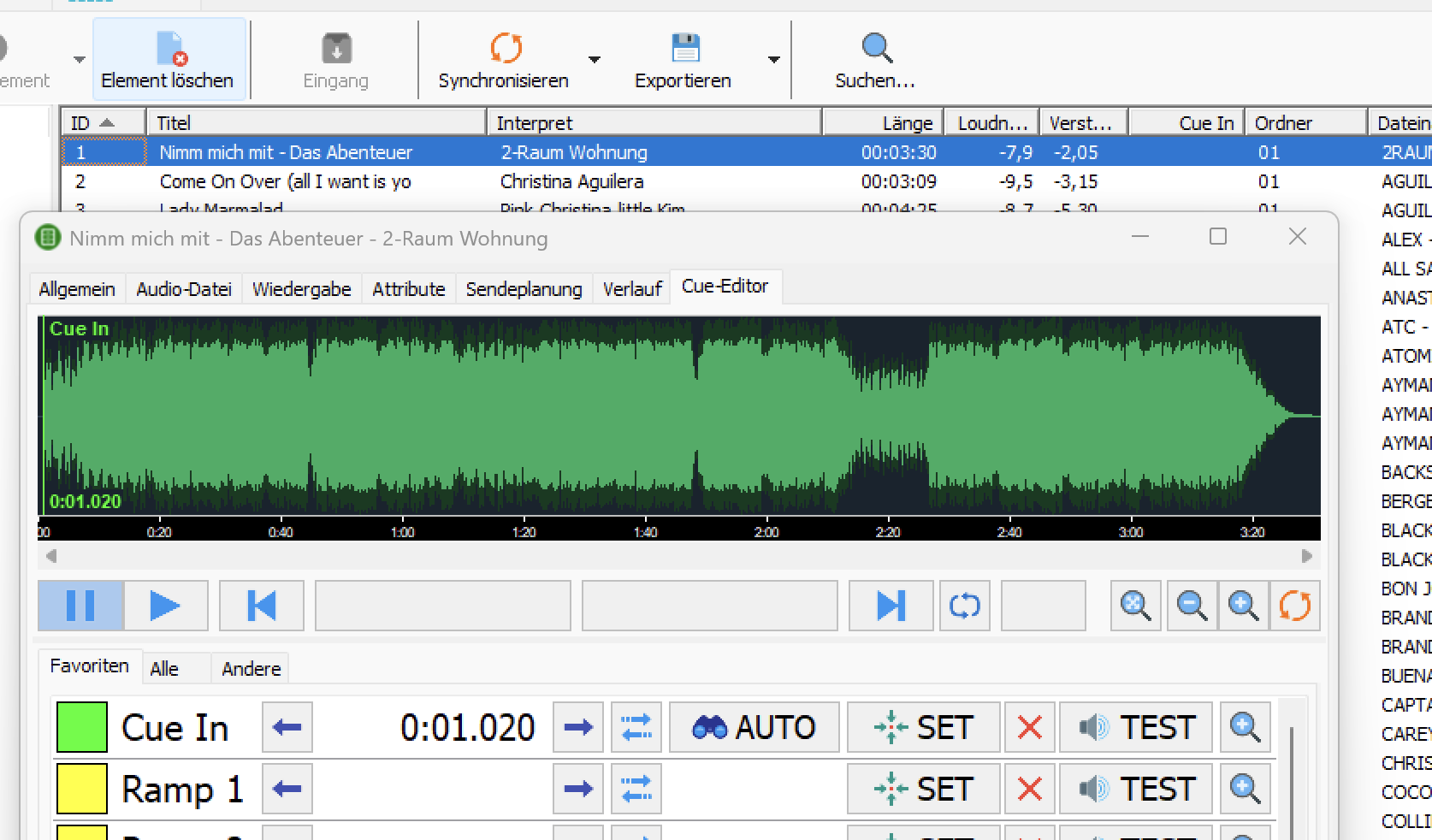
Ist bei mir auch so, die Werte von Cue In u. Fade In werden in den Spalten nicht angezeigt. Cue out und Fade Out hingegen werden angezeigt. Weitere Werte habe ich nicht getestet.
Habe nachgeforscht, ist auch in der 8.0 schon so, aber nie jemandem aufgefallen.
Wird korrigiert.
There is a bug in the new Marilist v8.10; you can’t access the audio settings—it’s blocked. I’m not downloading the new version until the bug is fixed.
Err, you have downloaded it already, or how can you report about the bug?
Confirmed, thank you for the reporting. I can’t access the audio settings too, getting a “range check error”.
/MOD —> Moved to the 8.1 thread