Hi Stefan
I understand the logical in mAirlist… .
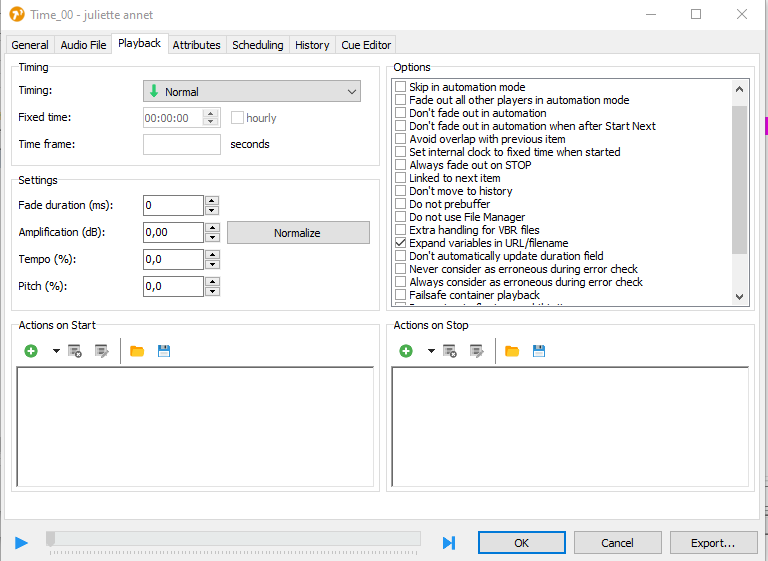
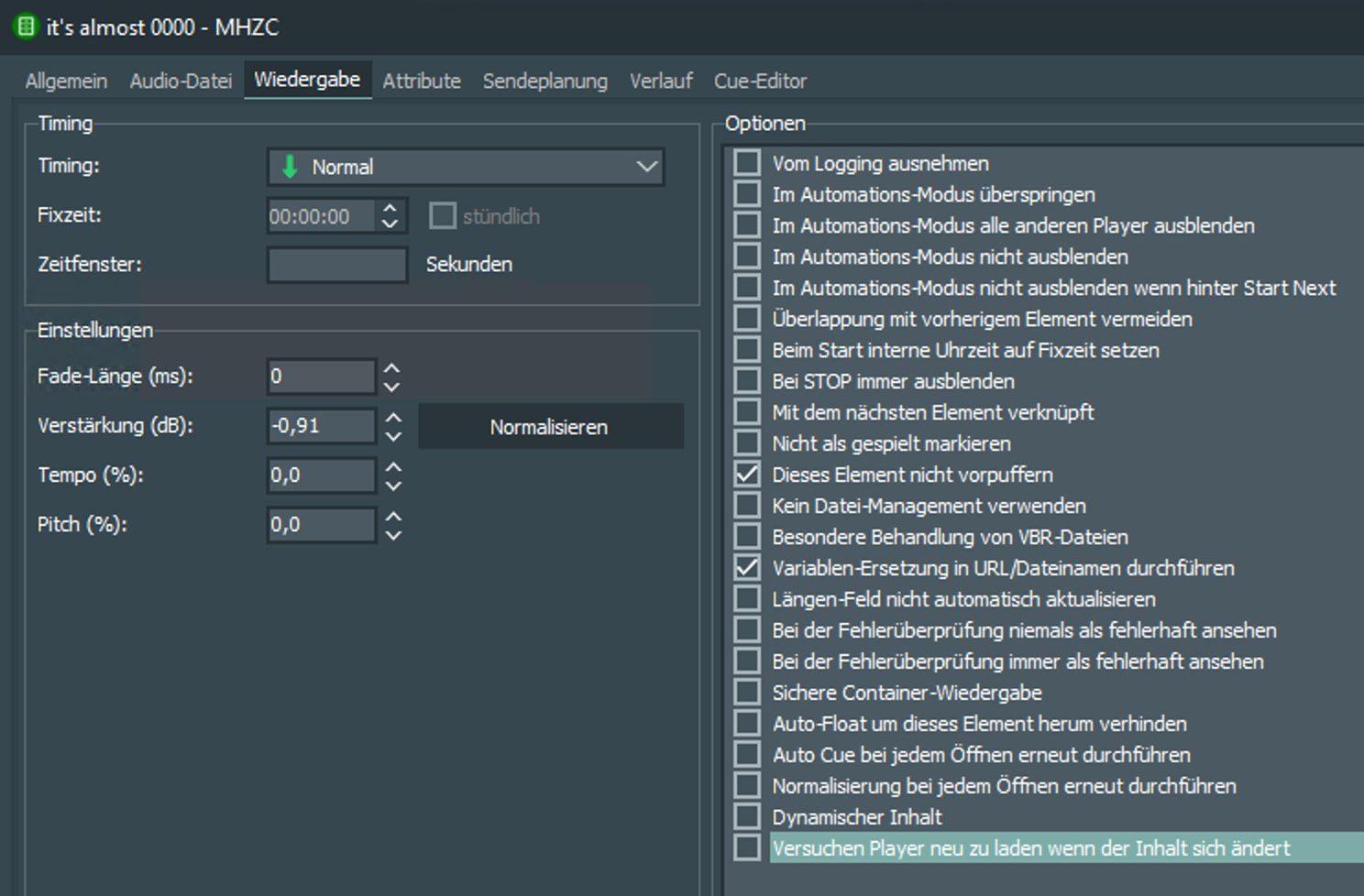
Where do I check “not buffer” ?
Thanks
Best regards Junker
Hi Stefan
I understand the logical in mAirlist… .
Where do I check “not buffer” ?
Thanks
Best regards Junker
Hello Stefan,
Thanks a lot. I’m going to test this “do not prebuffer” tonight to see if it helps. I will tell you later. Thanks
Best regards Junker
Hi Stefan, It works very well.
Everything is perfect <3 I am very happy!!! Again: Thanks a lot
Best regards Junker
Great, thank you for the feedback! 
Hello Stefan,
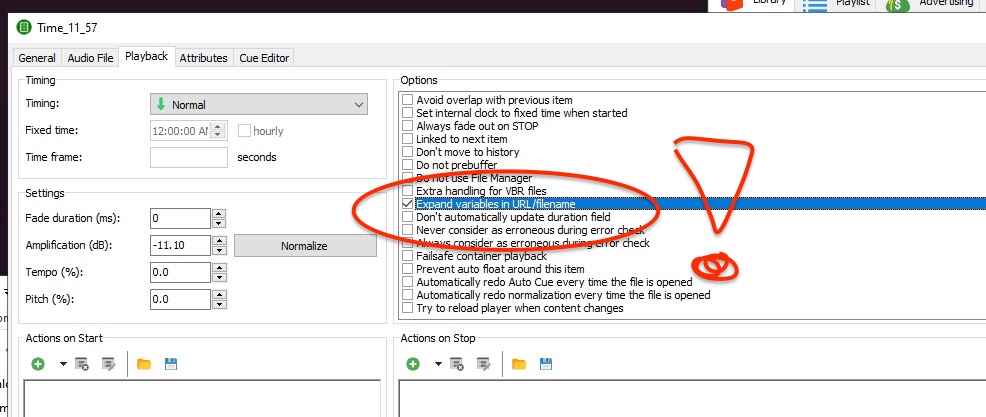
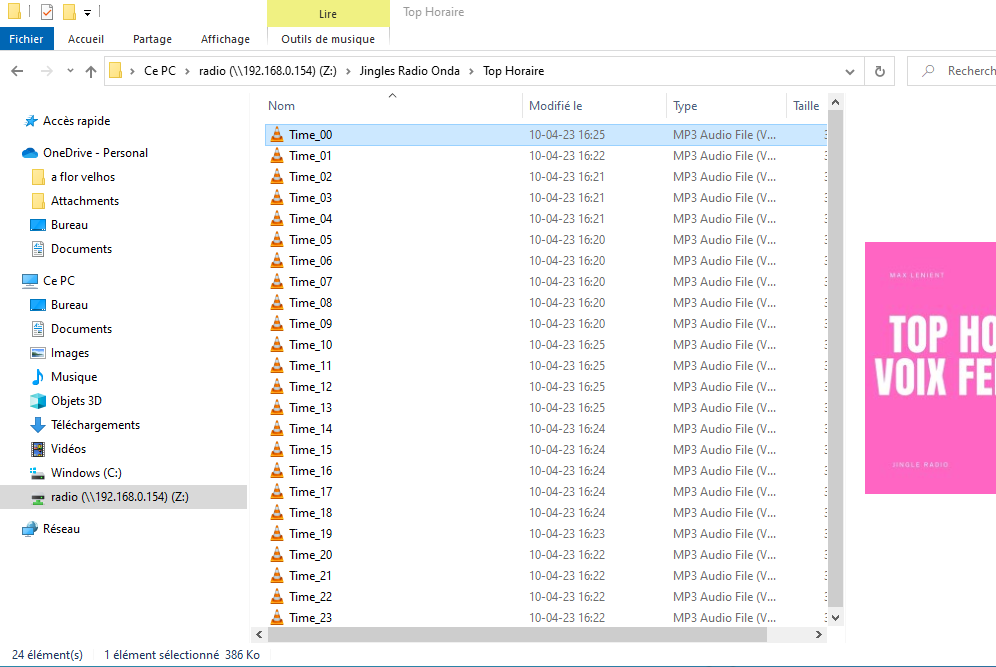
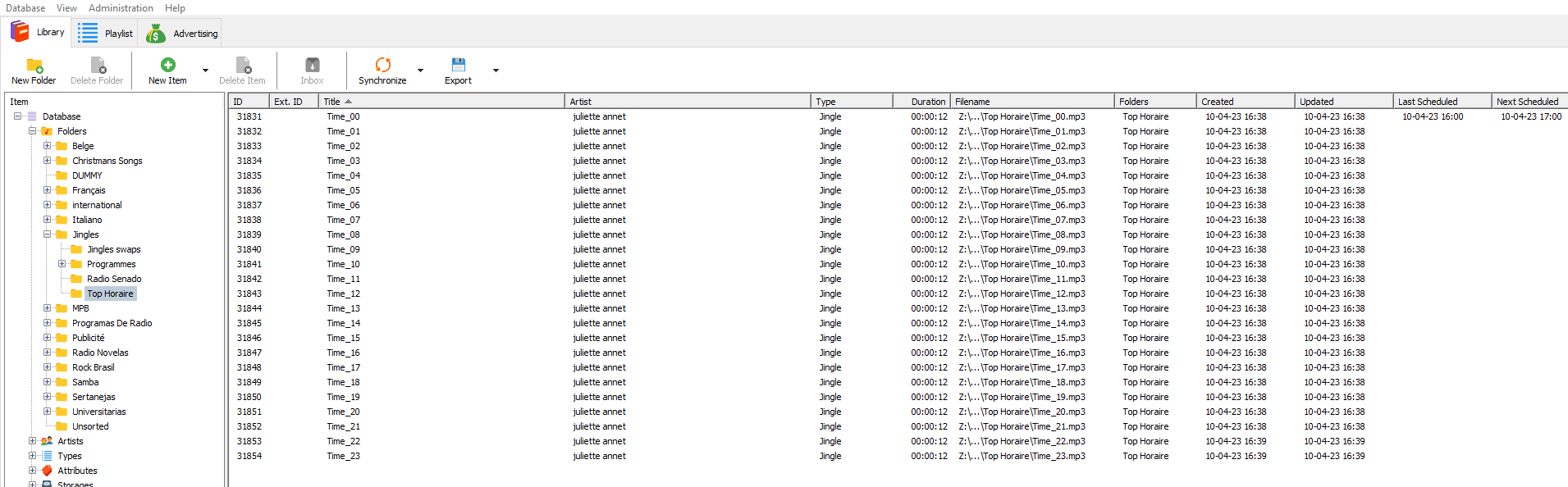
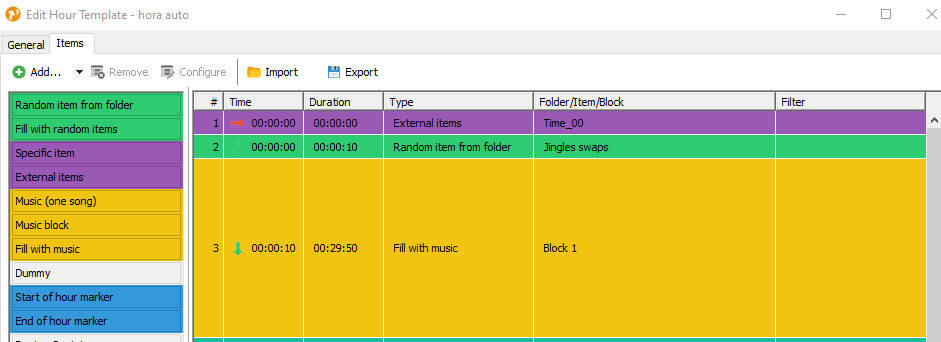
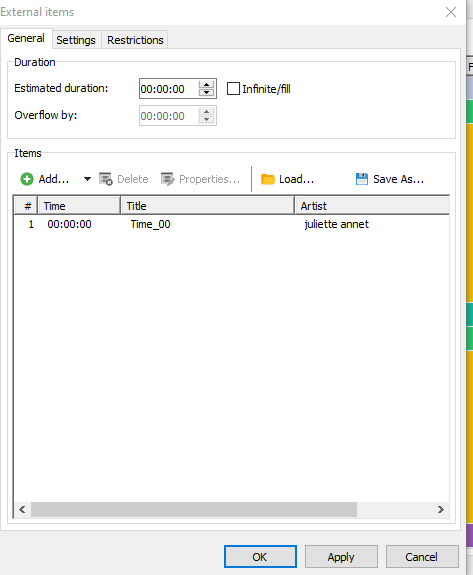
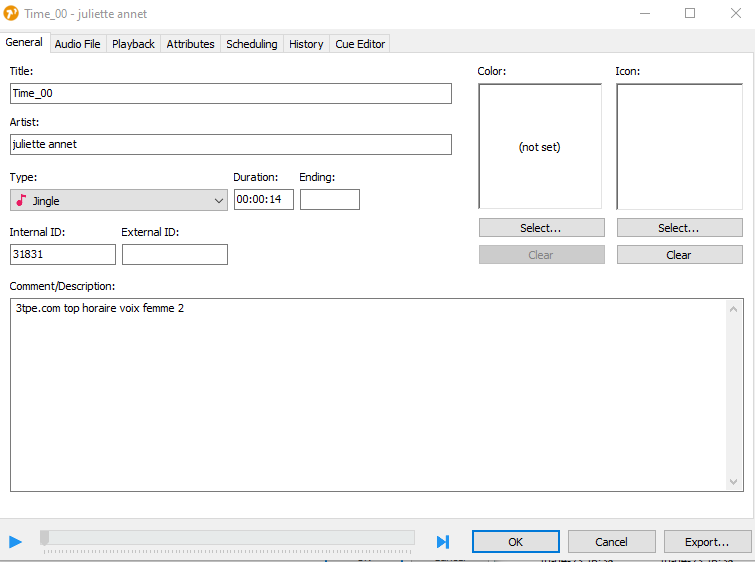
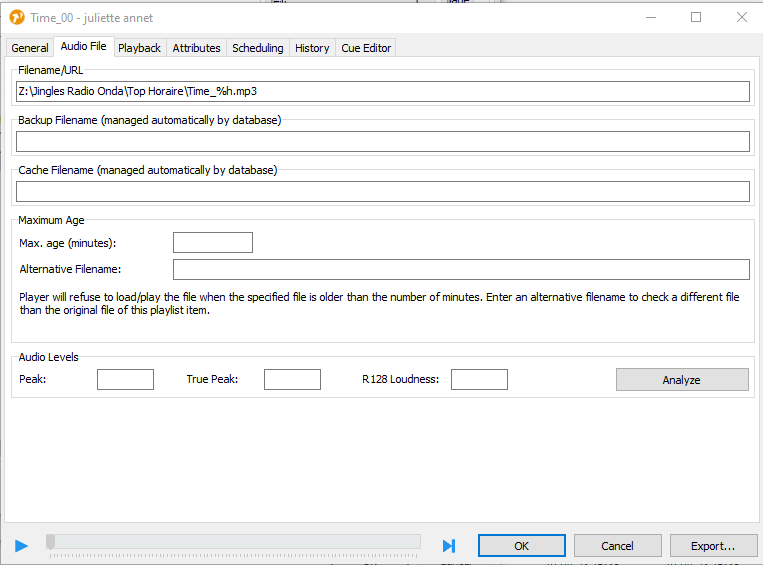
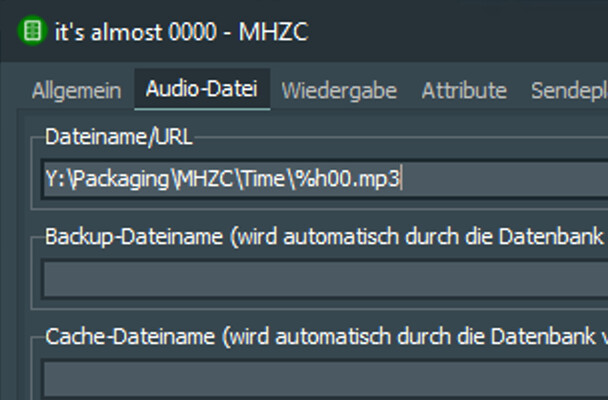
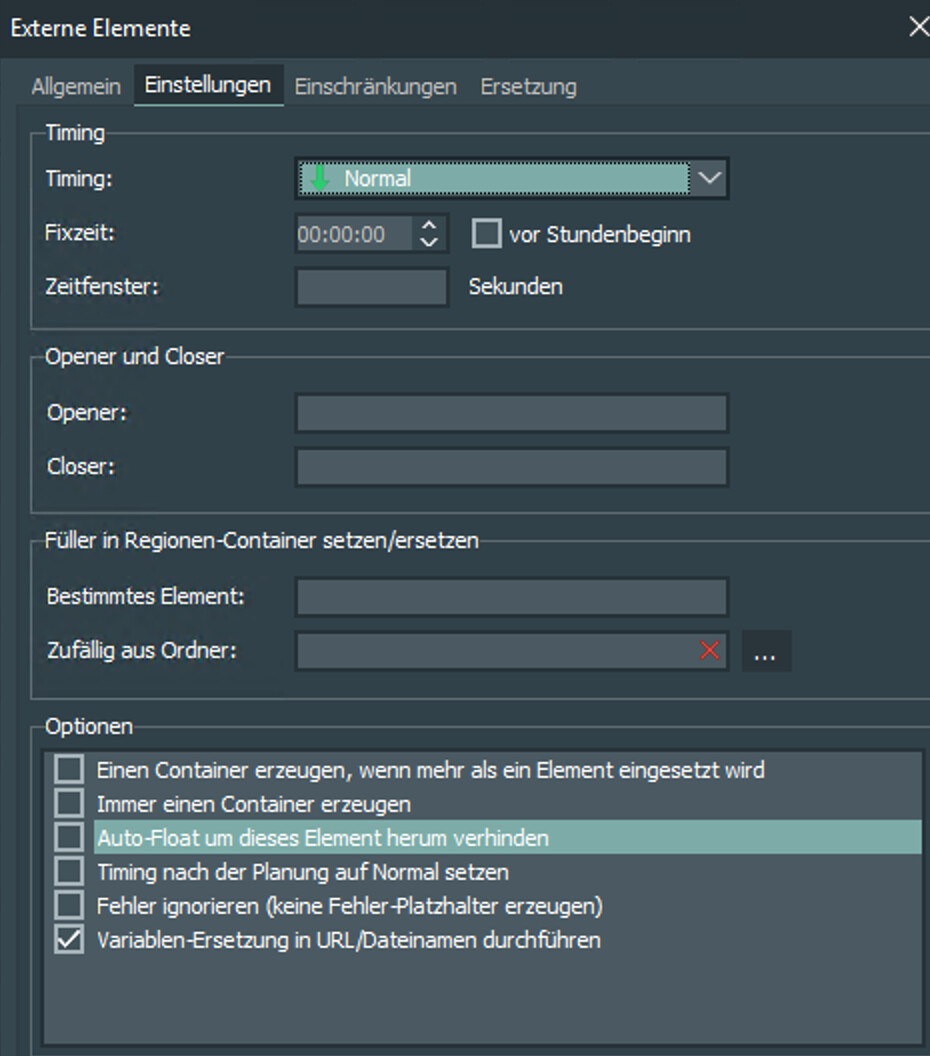
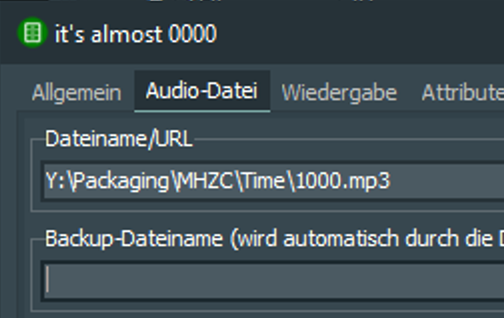
Sorry for the delay in given you a feedback, I was trying and trying different configurations to set the top of the hour with the variables, like you explain up here, but it did not work, do I miss anything? Maybe there is something else I should tick? Could you please give a look on the pictures? When I manage with the top of the hour, only then I will venture to make the pre recorded shows to be schedule in the same way (witch also I did not manage to make work). Many thanks in advance, Julio
Hi all,
I’m using this English thread as it seems to be the most recent of the bunch I found.
I am also playing around with this a bit but it does not seem to work (anymore?) as outlined by Stefan. But I could also be missing something, which is most probably the case.
What I did:
Here’s what happens next:

When I now hit save (and confirm to overwrite existing playlists) and then check the saved playlists in the database, the time markers are all set to the path of the file that I initially dragged into the properties window during creation (and then changed manually).
And that’s also exactly what they are going to play then, no replacing of any variable happening upon the item being loaded.
Anyone else seeing this behaviour? What am I missing?
BTW: If I create a scheduled event with and audio file and put %h in the file name it does actually work, but I would rather have it listed in the playlist than appearing out of nowhere. I’m on V8.0.8.
Anyone any ideas?
Cheers,
Michael
Hi Michael, it would be helpful to see some screenshots of the element’s settings you tried to use in the hour template.
Hi Stefan,
here you go:
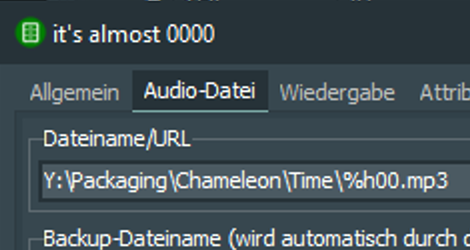
First the audio element’s settings
And here is the setting for the external element in the template
The funny thing is, that when I let the mini scheduler run with the preview option enabled, the file path, ie. for the item in the 10am hour looks like this:
Properly resolved to the correct element already (not just at runtime).
But when I then click save and check upon the item in the just created playlist (and yes, I verified it’s the correct one), I am getting a hardcoded 0000.mp3 as a file name, which is the one I initially dragged from the explorer into the window.
BTW. if I disable the option to resolve variables for the external element. I am getting this in preview:
This time the variable has made it through to the preview, but no, once I hit save, it’s 0000.mp3 again.
Could this be a bug, since the result in the preview seems correct but that’s not what’s actually being saved?
Hi, please try “Dynamischer Inhalt” (I have to ask Torben by myself what it does but it works for me in v8)
Another Idea: Today I set up a recurring show and thought to be clever by just just copying and pasting the “Externes Element” element in the hour template and replacing just the attached external file.
Turned out that the part 1 of the show was inserted correctly, but part 2 (the copy) was not. It still loaded part 1. Like in your case it showed the correct show at first, but when I ran the playlist scheduler it was the wrong part 1 of the show.
So if you by chance did the same like me that might have been the error…
Tried it again (I think I tried it earlier already but wasn’t sure) but the problem, sadly, persists.
And no, I did not copy the external element as I programmed it from scratch. I did however make a copy of the hour template initially. But that was way before I even thought about using the external element for time announcements. So at the time of copying the template, there was no external element.