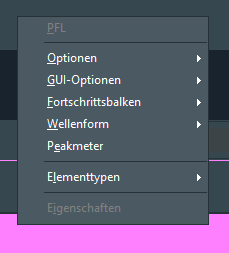
Does it happen when you select the item, right click, and then “PFL”?
(Topmost item in the menu - incorrectly labeled “Selection PFL” even when only a single item is selected, will fix that).
Nope, in that case it works fine.
Scratch that! It was probably the song that was acting up for some reason. It’s working perfectly now—go figure.
A few more minor issues:
Borders for custom screen objects are applied, but the defined border colors are set to white (in my case).
Custom SKIN IDs for peak meters in the skin.ini file are ignored; the peak meters appear in the default style.
Example:
(The SKIN IDs match the ID set in the screen object)
// Peakmeters
[PeakmeterIN]
Design=Modern
BackgroundColor=MykaBackground
ActiveColor=MykaCyan
HeadroomColor=MykaPink
PeakHoldWidth=3
Padding=5[PeakmeterOUT]
Design=Modern
BackgroundColor=MykaBackground
ActiveColor=MykaPink
HeadroomColor=MykaCyan
PeakHoldWidth=3
Padding=5
Or am I doing something wrong?
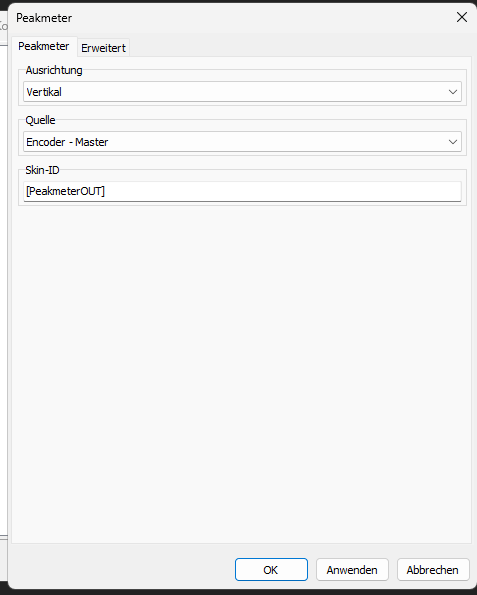
In the screen object config dialog, type the Skin ID without the brackets, i.e. just PeakmeterOUT, not [PeakmeterOUT].
Thank you, that works! 
Another thing:
[Toolbar]
FontColor=#00FFFF
… without effect. Build 6201, Dark Mode, full restart; toolbar labels remain white. Other settings from the same section are applied:
[Toolbar]
// Element Visibility
ShowVoiceTracking=off
ShowMixEditor=off
Build 6202 uploaded, fixes a couple of things:
[-] DBServer: Root certificate setting ignored, certificate file used instead
[-] Some parts of the config (e.g. player auto-load item types) not saved
    correctly, as localized identifiers were used mistakenly
[-] Screen objects: Remote control commands not processed
Small correction after a controlled test:
I manually restored AutoLoadItemTypes=Music for Players A and B. I then opened the Build 6202 Configuration application, selected all item types for both players and saved the configuration.
The mAirList.ini file was saved, but both entries still contained only:
AutoLoadItemTypes=Music
The Playout application therefore also shows only “Music”.
So the old values are preserved, but changes made through the item type checkboxes are apparently not written to the configuration.
Sorry, another one for the list… 
Tested with mAirList 8.2 beta, Build 6202.
I configured different border colors for two Peakmeter screen objects:
IN: pink (#FF0080)
OUT: cyan (#00FFFF)
The Config app saves BorderWidth=1, but apparently does not write the selected BorderColor to screenobjects.ini. After saving and restarting mAirList, both borders remain white.
I then added the values manually:
[ScreenObject13]
Type=Peakmeter
SkinID=PeakmeterOUT
BorderWidth=1
BorderColor=#00FFFF

[ScreenObject14]
Type=Peakmeter
SkinID=PeakmeterIN
BorderWidth=1
BorderColor=#FF0080
The entries remain present after restarting mAirList, but they are ignored. The border width is applied correctly; only the color remains at the white default.
As an additional test, I also added the values to skin.ini:
[ScreenObject13]
BorderWidth=1
BorderColor=#00FFFF

[ScreenObject14]
BorderWidth=1
BorderColor=#FF0080
This also has no effect after a full restart.
This might be related to the changelog entry about localized identifiers not being saved correctly. However, since manually added values are ignored as well, the problem does not appear to be limited to the Config app saving them.
Am I missing a new 8.2 setting here, or is the Peakmeter screen object currently ignoring its border color entirely?
Greets
Myka, aka “The Bug-Menace”. 
Did some tests, and I think this bug is actually already in v8.1 (and ealier). When you use the right-click menu and “select all”, “select node” or “reset selection”, the result is not saved,
Workaround is to use the menu command, then immediately uncheck/check any checkbox manually.
Can you try?
Build 6203:
[+] DB: Hour template items: New option "Automatic DST adjustment".
    If set, the configured fixed time for the item will be advanced by
    60 minutes when scheduling the hour in which the summer -> winter time
    switch takes place. Enabled by default for End of Hour markers.
[-] Screen objects: Color settings not saved correctly
That works! Sorry for late response, I was busy the last days. 
Did this work in 8.1?
As far as I know, adjusting colors of the “standard Windows controls” doesn’t work everywhere, because of the way dark mode is implemented through VCL Styles.
I can’t say for 100% sure, but yes, I believe it was already like that in 8.1. I had a faint hope that it might be possible now in 8.2. 
Ok, I think we can conclude the preview now. Public beta is now available. Thanks for your help everyone!