Change text color in database playlists

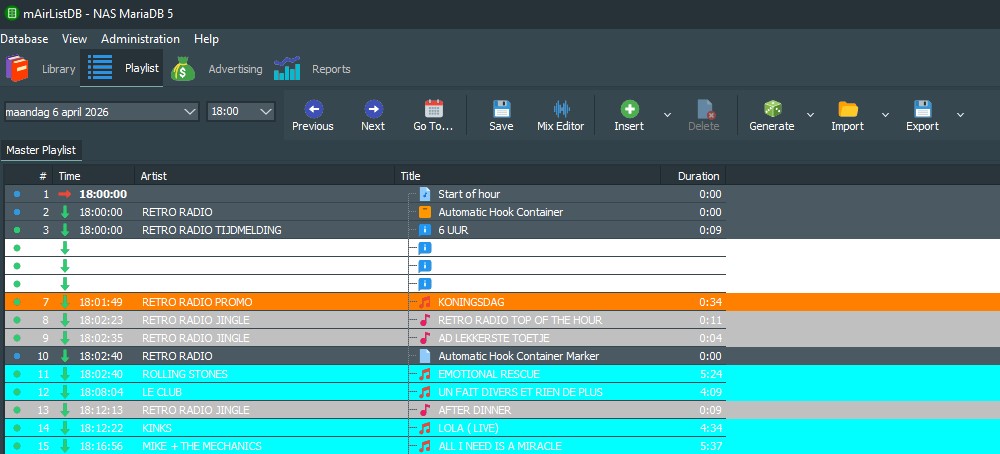
Since switching to mAirList version 8, I have been having trouble reading the artist name and title in the databaseplaylists generated by the Scheduler. I would like to change the text color within this playlists view to black instead of white.

Anyone have any idea how to achieve this?

According to the skin.ini wiki you can modify the font object. It is a bit of fiddling around to get the font for the music items in the list but I would try it like this
[LibraryPlaylist]
MusicFontColor=Black

Thank you for your thoughts, @dommel , but this is not the solution. We also tried [DatabasePlaylist] but unfortunately no results.

Hello,

I tested it with the FontColor magenta and it works for Light Mode.

[DatabasePlaylist]
FontColor=#FF00FF

However, nothing changes in Dark Mode. Even with this entry.

[DatabasePlaylist.Dark]
FontColor=#FF00FF

Either there’s a bug or Dark Mode can be changed in another way.